Image tutorial
Turn One Photo into a GIF: Three Ways, From Free to AI
You have a single photo and want a GIF. Three routes that actually work: let AI animate it, generate variations and stitch them, or build the frames yourself with free browser tools. Costs, limits and settings for each.
On this page
Most "image to GIF" tools assume you already have a stack of frames. The common case is the opposite: one photo, and the wish that it moved. Here are the three ways to get there on CVY.AI, in order of how much work you do versus how much the machine does. The first one is free and never uploads anything. The last one takes about two minutes and your first clip is free.
| Route | What you need | What you get | Cost | Sign-in |
|---|---|---|---|---|
| 1. Build frames yourself | One photo | A zoom, pan or caption GIF | Free | No |
| 2. AI edits as frames | One photo | A stop-motion style GIF of small changes | 2 credits per frame | Yes |
| 3. AI animates the photo | One photo | A real 5-second clip, GIF or MP4 | 10 credits per clip | Yes, first clip free |
Way 1: build the frames yourself with the free GIF Maker
This is the route for anyone who typed "gif maker no sign up" into a search box. Two free tools, both running entirely in your browser, so the photo never leaves your device.
Step 1: cut a zoom sequence with the Image Cropper. Open the Image Cropper, upload the photo and note its size. For a 768×1024 photo, make three crops that shrink toward the centre:
| Frame | X | Y | W | H |
|---|---|---|---|---|
| 1 | 0 | 0 | 768 | 1024 |
| 2 | 38 | 51 | 691 | 922 |
| 3 | 77 | 102 | 614 | 819 |
Each crop keeps the original aspect ratio and is 10% smaller than the one before. Download all three. To pan instead of zoom, keep W and H fixed and move X across the picture.
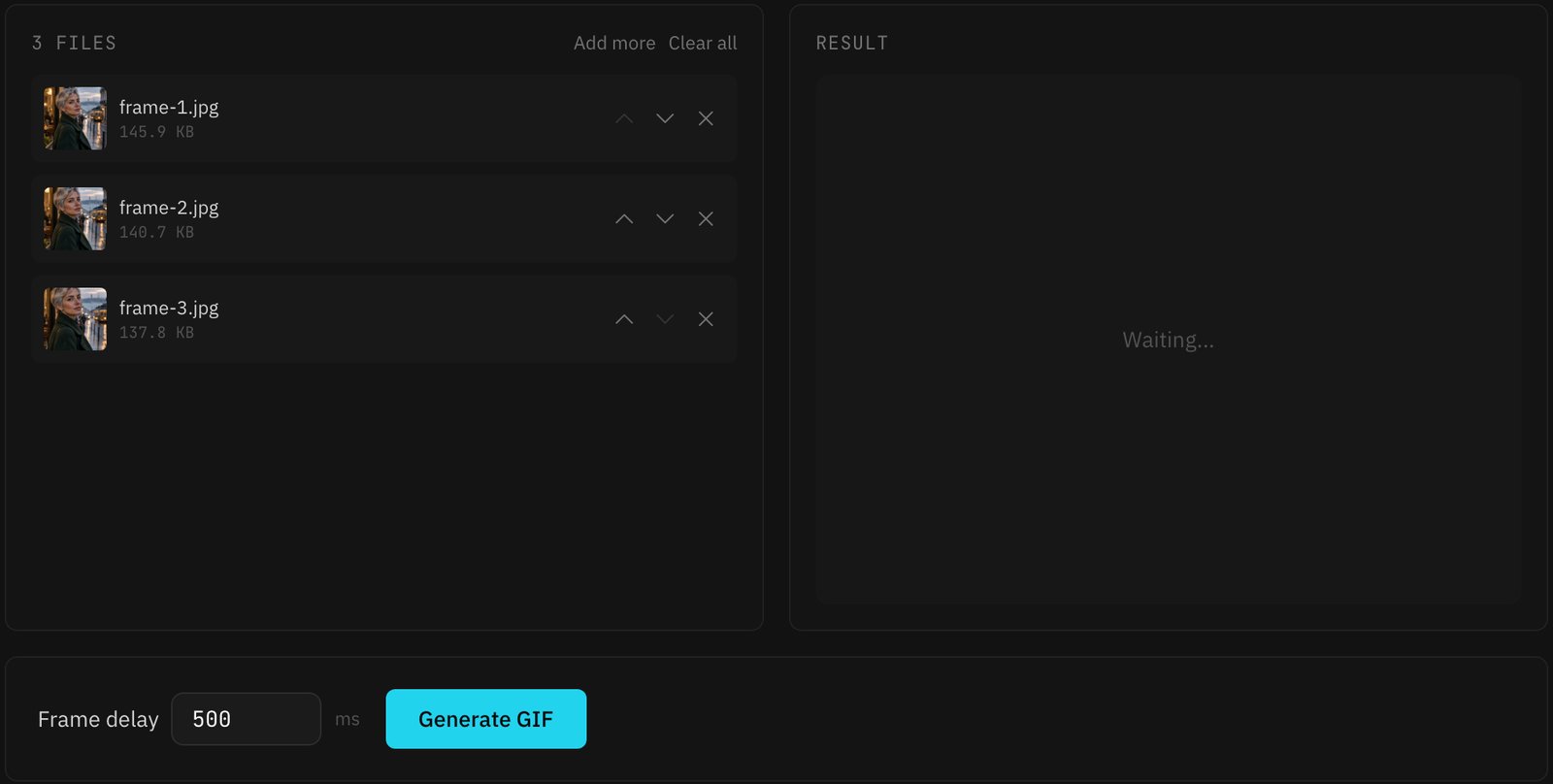
Step 2: stitch them in the GIF Maker. Open the GIF Maker, drop in the three files, and check the order with the up and down arrows. Set the frame delay and click Generate GIF.
Three things the tool does that you should know about:
- Output size comes from the first frame. Later frames are scaled to fit it. That is exactly what makes the zoom work: the smaller crops are enlarged back to the first frame's size.
- Frame delay is per frame, 20 to 5000 ms. The default of 500 ms suits a slow zoom. For a smooth loop, add the middle frame again at the end so the sequence goes 1, 2, 3, 2 and the jump back to 1 is small.
- It loops forever and has no watermark. Encoding happens on your machine, so a large photo takes a few seconds longer on a phone.
The result, from exactly the crops in the table above:
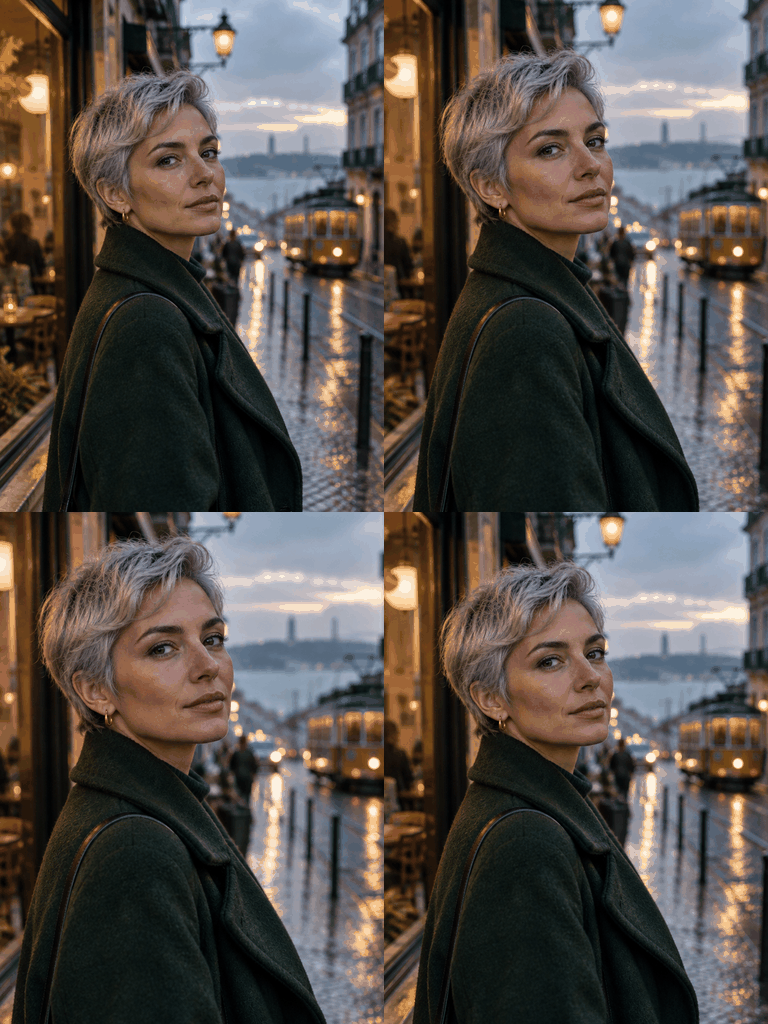
The same two-tool trick works for captions. Run the photo through Text on Image once per line of text, then stitch the versions.
Way 2: generate variations with AI, then stitch them
If you want things in the photo to change, not just the framing, make the frames with the image generator's edit mode and stitch them the same way.
Open the image generator, switch the tab to Image to Image, and add the photo as a reference. Describe one small change per generation and keep everything else pinned:
Same photo, same framing and lighting. She turns her head slightly
to the left and smiles a little more. Change nothing else.
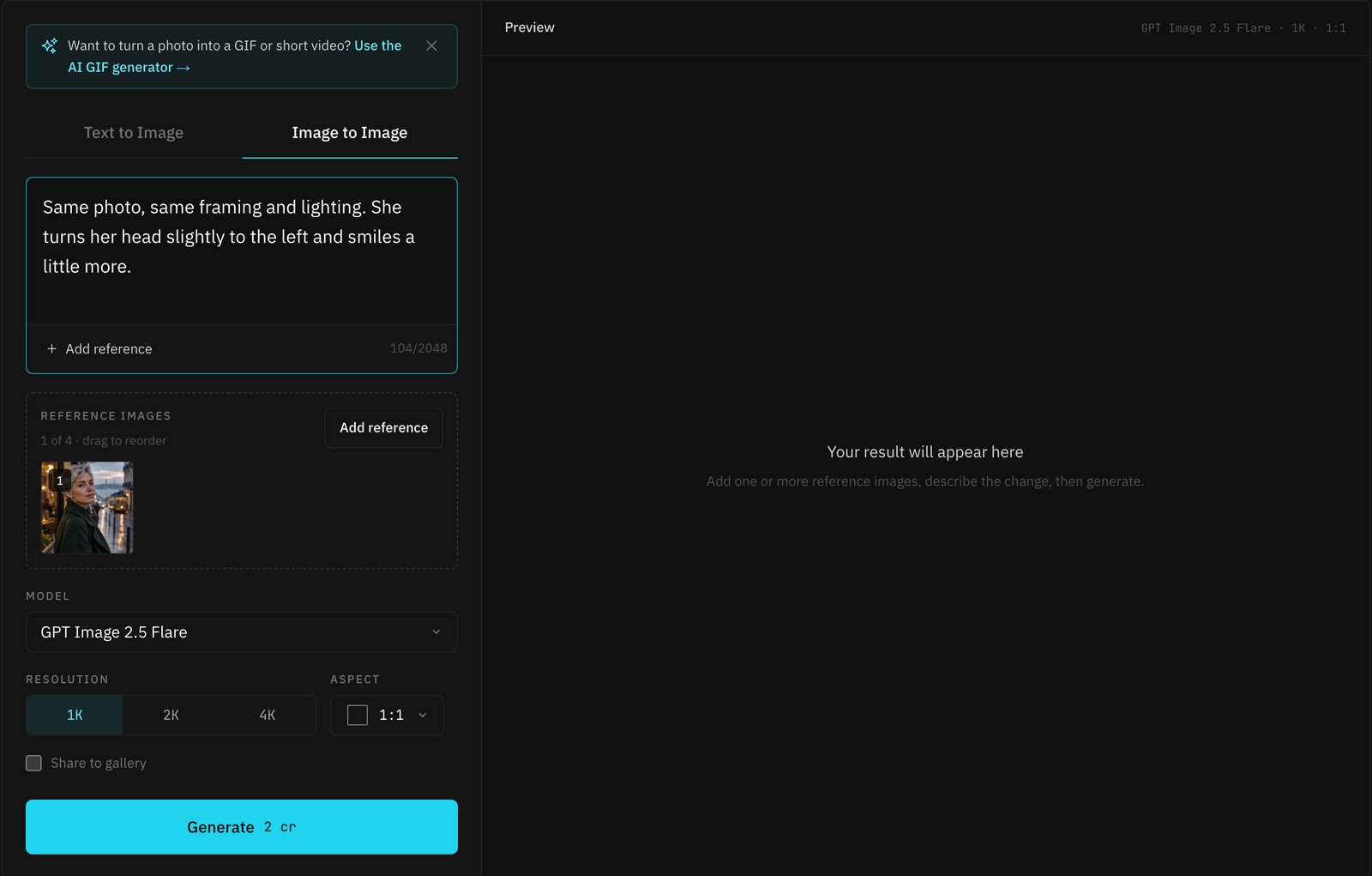
Generate two or three of these with different small changes (eyes closed, a glance to the side, the hand raised), download them, and drop the original plus the edits into the GIF Maker. The effect is stop-motion rather than video: expect the background to shift a little between frames, which is part of the charm and also why this route suits product spins and expression sequences better than scenery.
Cost is the generator's normal price. On GPT Image 2.5 Flare at 1K that is 2 credits per frame, so a four-frame GIF is 6 credits for the three edits. The 10 credits a new account receives cover one such sequence with change to spare. A bigger explanation of what Flare and Sunburst each do well is in our side-by-side test.
Way 3: let the AI GIF Generator animate the photo
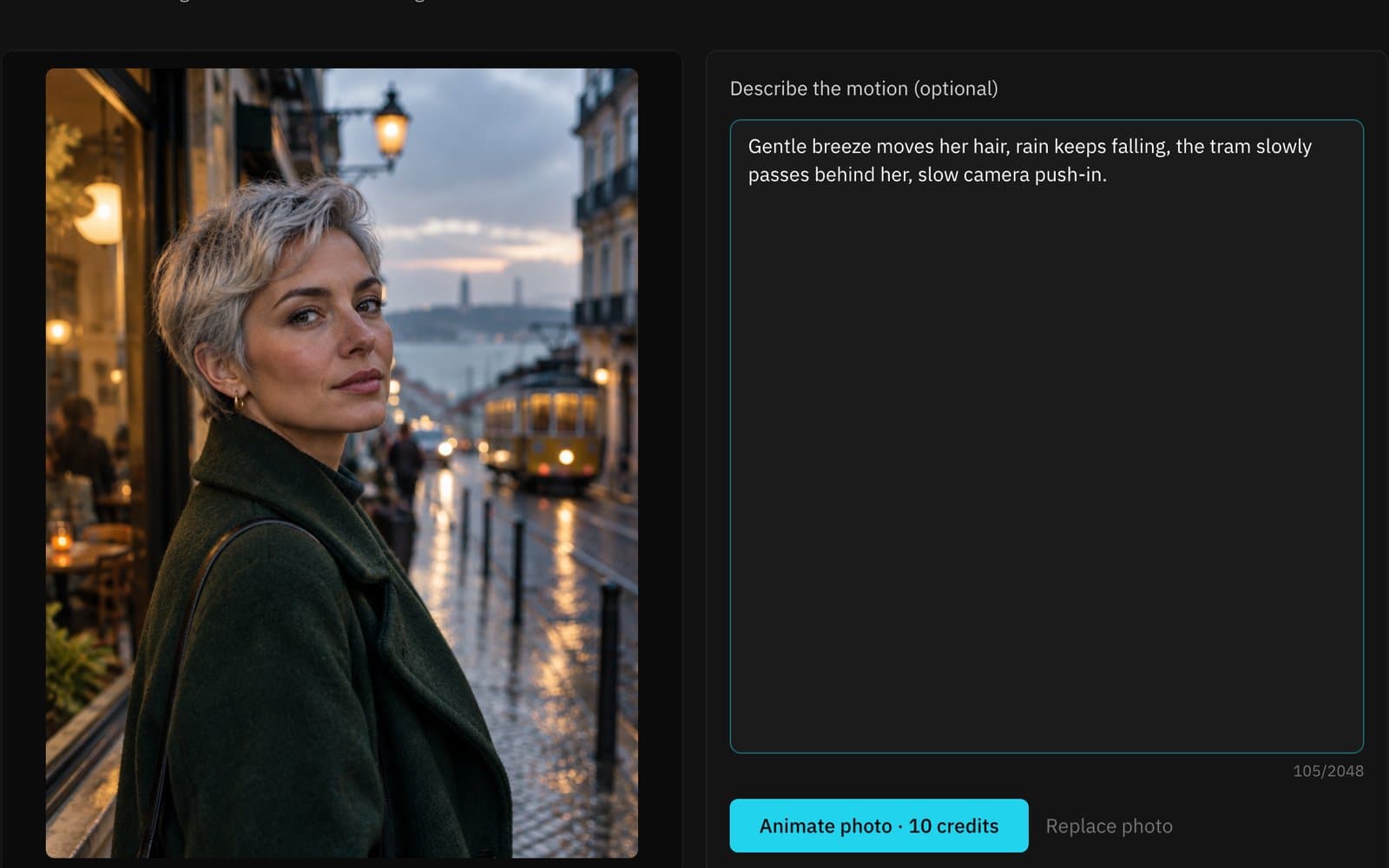
For real motion, use the AI GIF Generator. You upload one photo, optionally describe the motion, and get a 5-second clip back.
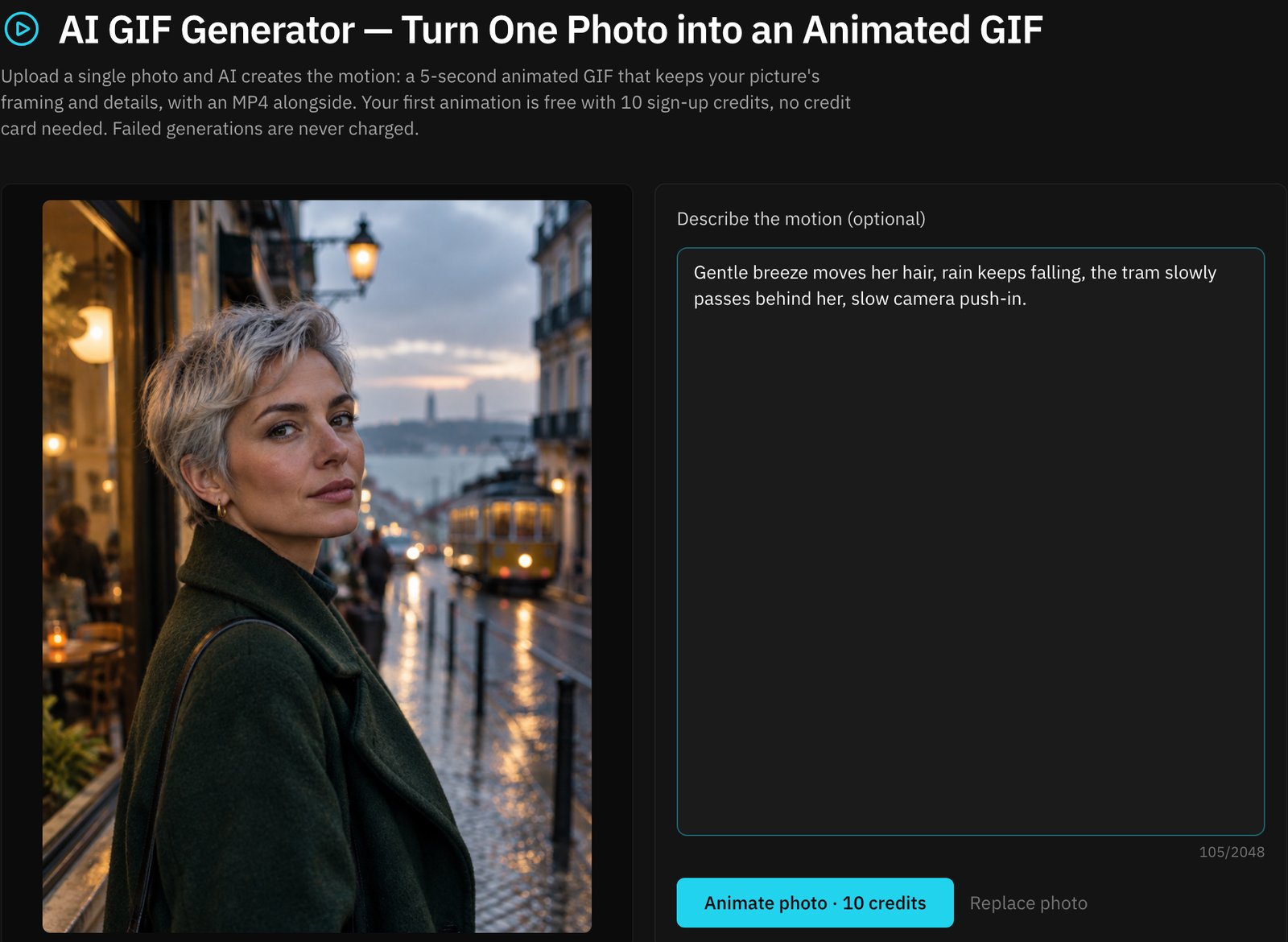
How it works, and what to expect:
- Sign in and upload the photo. The upload box opens sign-in if you are not already in. New accounts get 10 credits and one clip costs 10, so the first animation is free with no card. The photo must be 300 to 6000 pixels on each side with a shape between 2:5 and 5:2. Anything wider or taller is centre-cropped before upload, and the page tells you when the trim is noticeable.
- Describe the motion, or leave it blank. The default prompt asks for subtle, natural motion with the subject, framing and colours unchanged. If you write your own, name physical things: wind in the hair, rain, a camera push-in, a passing tram. Avoid asking for new objects or a different scene.
- Wait one to three minutes. You can leave the page; the clip is saved in My Creations. Failed generations are never charged.
- Download MP4 or GIF. The MP4 is 480p at 24 frames per second and is the version to post anywhere that accepts video. The GIF is converted in your browser at 8 frames per second and 360 pixels wide, so it is larger in bytes and softer in quality. Use it only where the destination accepts images but not video, such as some forums, docs and email clients.
Your photo and the clips are private to your account and never appear in the public gallery.
Which way to pick
- Just need the photo to move a little, and prefer not to upload it: Way 1. A slow zoom on a portrait or a pan across a landscape is more effective than it sounds, and it is free.
- Want a specific change to happen, like an expression or a product turning: Way 2. You control each frame.
- Want it to look like video: Way 3. It is the only route that produces genuine motion, and the first clip costs nothing.
If you do more than one animation, the trial pack is 50 credits for $1.49, which is five more clips. The pricing page has the rest.
- GIF maker
- AI GIF generator
- Image to GIF
- Photo animation
- Free image tools
Put your next idea into a picture.
Open the image generator with your own prompt, or choose an example to start exploring.
Open image generator