Model comparison
GPT Image 2.5 Flare vs Sunburst vs Nano Banana Pro: Same Prompt, Three Results
Three prompts, one run each, no cherry-picking: how OpenAI's GPT Image 2.5 Flare and Sunburst compare with Nano Banana Pro on a portrait, a text-heavy poster and a product shot, with credit costs.
On this page
OpenAI shipped GPT Image 2.5 in two versions, Flare and Sunburst, and both are now in the CVY.AI image generator next to Google's Nano Banana Pro. The obvious question is which one to pick. Rather than quote spec sheets, we ran the same three prompts through all three models, once each, at 1K, and kept whatever came out. No re-rolls, no best-of-four.
The three prompts cover the jobs people actually bring to an image generator: a realistic portrait, a poster with several lines of text, and a product photo. Each section shows the three results side by side, left to right: Flare, Sunburst, Nano Banana Pro.
What the two 2.5 versions are
On CVY.AI the two versions differ mostly in weight and price:
| Model | 1K | 2K | 4K | Positioning |
|---|---|---|---|---|
| GPT Image 2.5 Flare | 2 credits | 3 | 5 | The fast one. Default model on the site. |
| GPT Image 2.5 Sunburst | 3 credits | 4 | 6 | The heavier one, for production imagery and careful edits. |
| Nano Banana Pro | 8 credits | 8 | 10 | Google's flagship, strongest at reference-image edits. |
A new account gets 10 credits, so the first few Flare images are free. The $1.49 trial pack is 50 credits, which is 25 Flare images, 16 Sunburst or 6 Nano Banana Pro.
Test 1: an editorial portrait
Editorial portrait of a woman in her 30s with short silver hair, wearing a dark green wool coat, standing on a rainy Lisbon street at dusk. Natural skin texture, soft window light from a café on the left, shallow depth of field, 85mm lens look. No text.
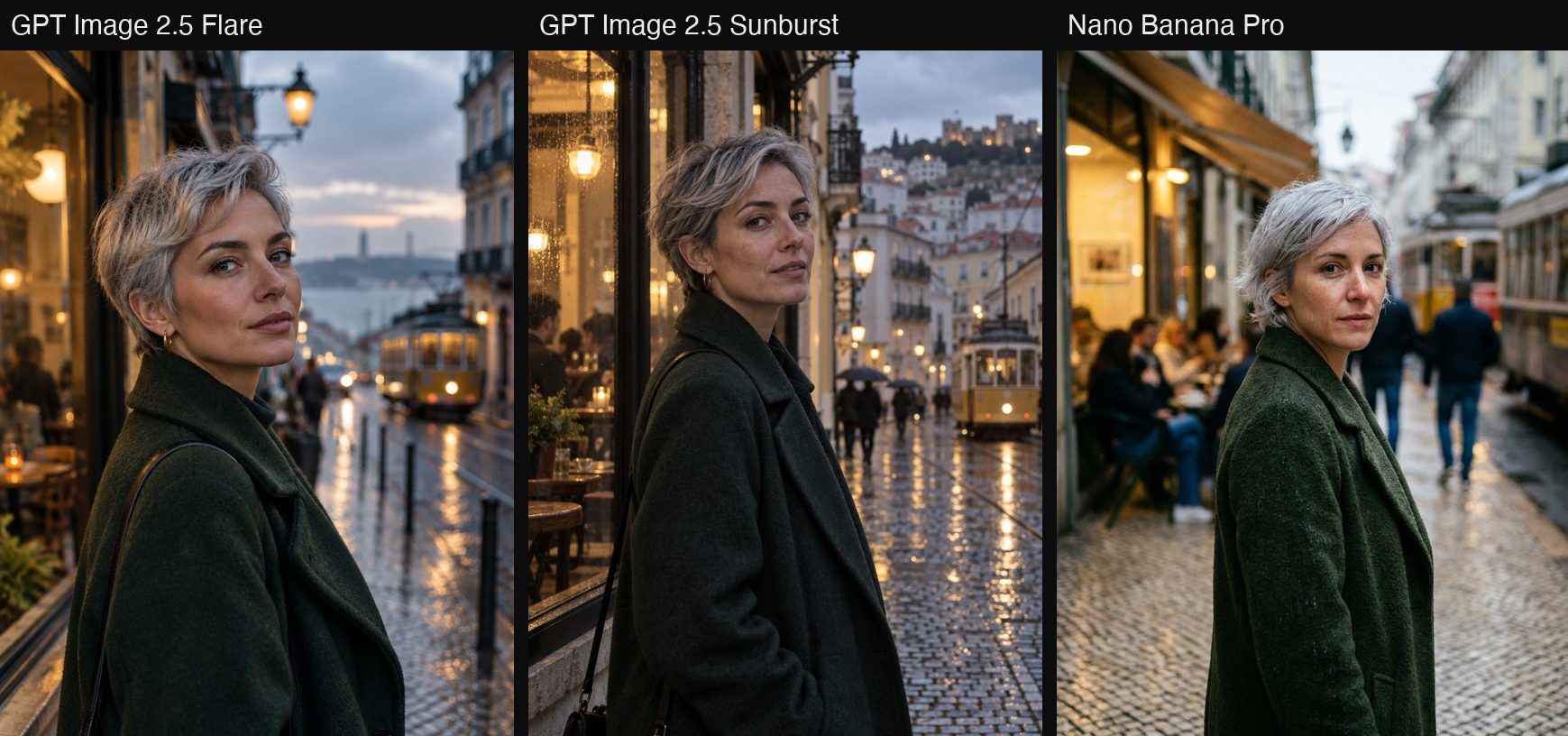
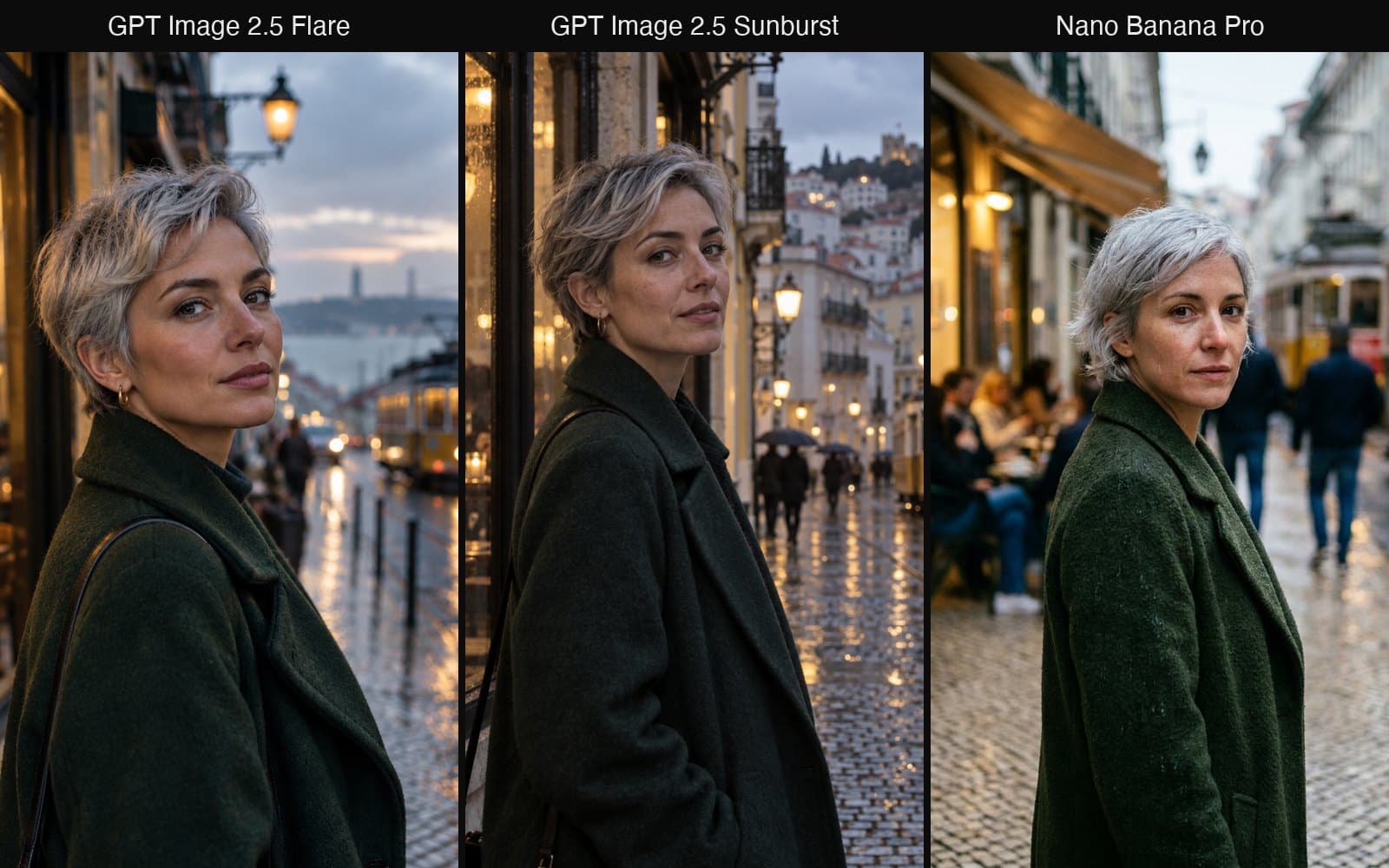
All three followed the brief: silver hair, green wool coat, wet cobblestones, a yellow Lisbon tram, warm café light from the left. The differences are in taste rather than correctness.
- Flare gives the cleanest, most flattering face and the strongest eye contact. The background is a little simpler than the other two, which in a portrait is usually what you want.
- Sunburst builds the richest scene: rain on the café glass, pedestrians with umbrellas, the castle on the hill, reflections on the tram tracks. Skin texture is the most photographic of the three, with visible pores and a slightly uneven complexion that reads as a real person.
- Nano Banana Pro is a convincing street photo with a busy café behind her, but the face is harsher and less lit, and the whole frame sits a notch below the other two in polish.
For a portrait you would hand to someone, Flare or Sunburst. Flare costs a quarter of Nano Banana Pro here and arguably produced the nicer image.
Test 2: a poster with three lines of text
Minimalist concert poster for a jazz trio. Large headline text "BLUE HOUR SESSIONS", subheading "Live at The Attic · Friday 14 Nov · 8 PM", a small line at the bottom "Tickets at the door". Deep navy background, one warm amber spotlight, a silhouette of an upright bass. Swiss grid typography, clean sans-serif.
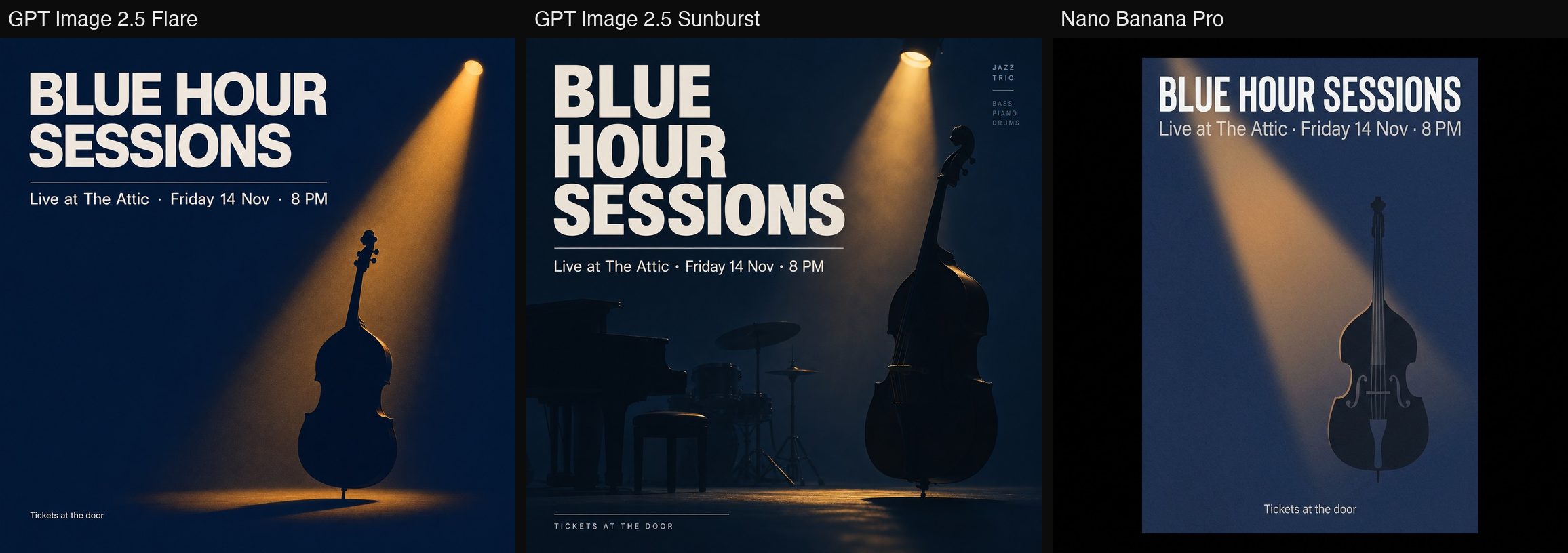
Text rendering used to be the dividing line between models. Not any more: all three spelled every line correctly, including the middle dots and "8 PM". What separates them now is design judgement.
- Flare is the most faithful to "minimalist": headline, one rule, one subheading, a bass in a spotlight, the small line tucked bottom-left. It looks like a poster someone would print.
- Sunburst added things the prompt did not ask for: a piano and a drum kit, a tiny "JAZZ TRIO / BASS PIANO DRUMS" block top-right, letter-spaced caps for the bottom line. The result is more designed and arguably better, but it is a looser reading of the brief.
- Nano Banana Pro rendered the poster as a flat vector on a black mount, with a stylised bass. Typography is correct and tight, the image is simply plainer.
If your prompt says what it wants precisely, Flare follows it. If you want the model to bring ideas, Sunburst does.
Test 3: a product photo
Product photo of a matte black ceramic pour-over coffee dripper on a light oak table, next to a glass carafe half full of coffee, morning sunlight from a window casting soft long shadows, a few scattered coffee beans. Clean commercial look, slight steam rising from the carafe. No text, no logo.
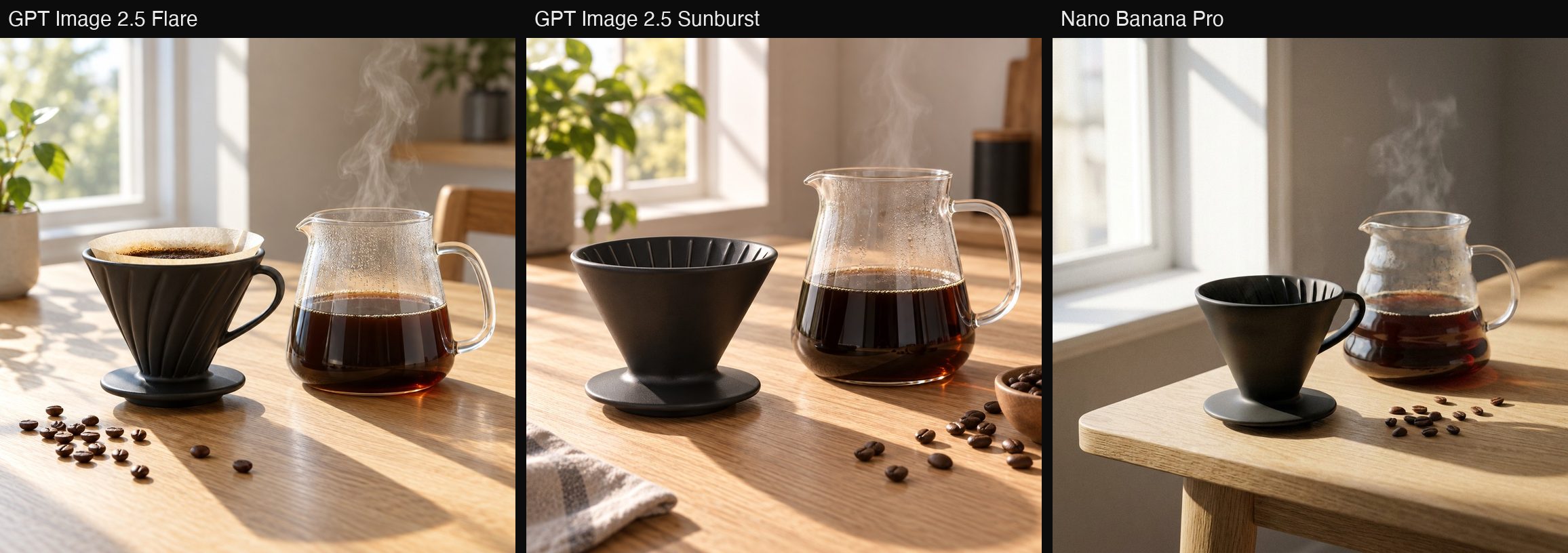
This is where the three models look most alike. Matte ceramic, glass with condensation, oak grain and beans are all handled well everywhere, and the morning window light is consistent with the shadows in each image.
- Flare put a paper filter with wet grounds in the dripper, a detail nobody asked for that makes the scene read as "just brewed". The steam rises from the carafe as requested.
- Sunburst is the cleanest catalogue shot: empty dripper, carafe front and centre, a linen cloth and a bowl of beans as props. This is the one you would put on a product page.
- Nano Banana Pro is good but feels more like a snapshot: the table edge in the foreground, the props a little small in the frame, slightly flatter light.
Which one to use
- Drafts, posters, anything with text, and most everyday images: Flare. It followed the brief most literally in all three tests and costs 2 credits at 1K.
- Hero images, product shots, anything you will zoom into: Sunburst. It consistently produced the richest, most finished frame. One credit more per image.
- Editing a photo you already have: Nano Banana Pro. None of these tests used a reference image, which is where Nano Banana Pro earns its price. For generation from text alone, the 2.5 models matched or beat it at a quarter to a third of the cost.
All nine images above are single, unedited runs. Your results will differ run to run, which is the honest caveat with any comparison like this. The quickest way to see for yourself is to open the generator with one of these prompts filled in and switch the model from the dropdown:
New visitors can generate one Flare image before signing up; after that, sign-in is free and comes with 10 credits.
- GPT Image 2.5
- GPT Image 2.5 Flare
- GPT Image 2.5 Sunburst
- Nano Banana Pro
- AI image models
Put your next idea into a picture.
Open the image generator with your own prompt, or choose an example to start exploring.
Open image generator