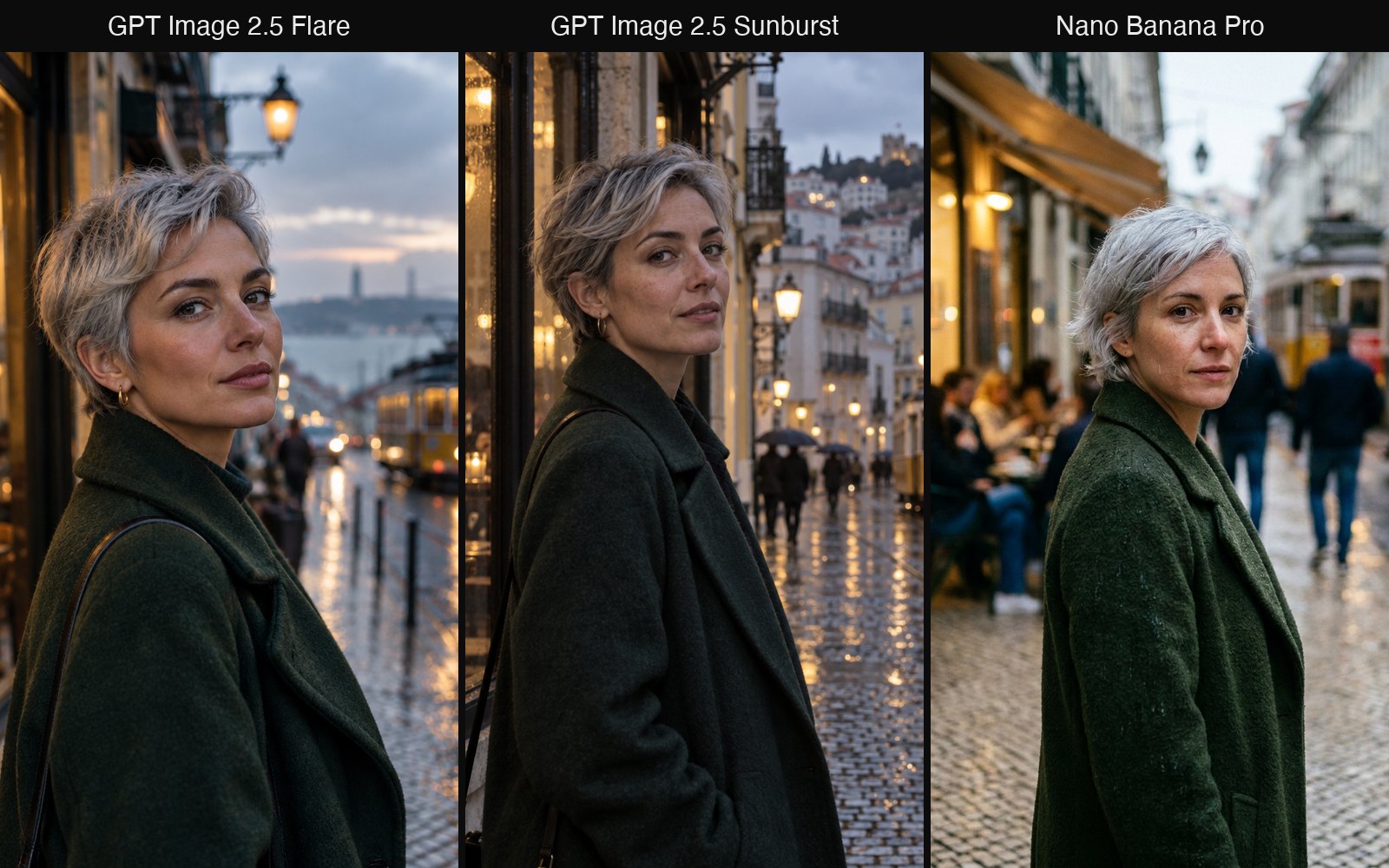
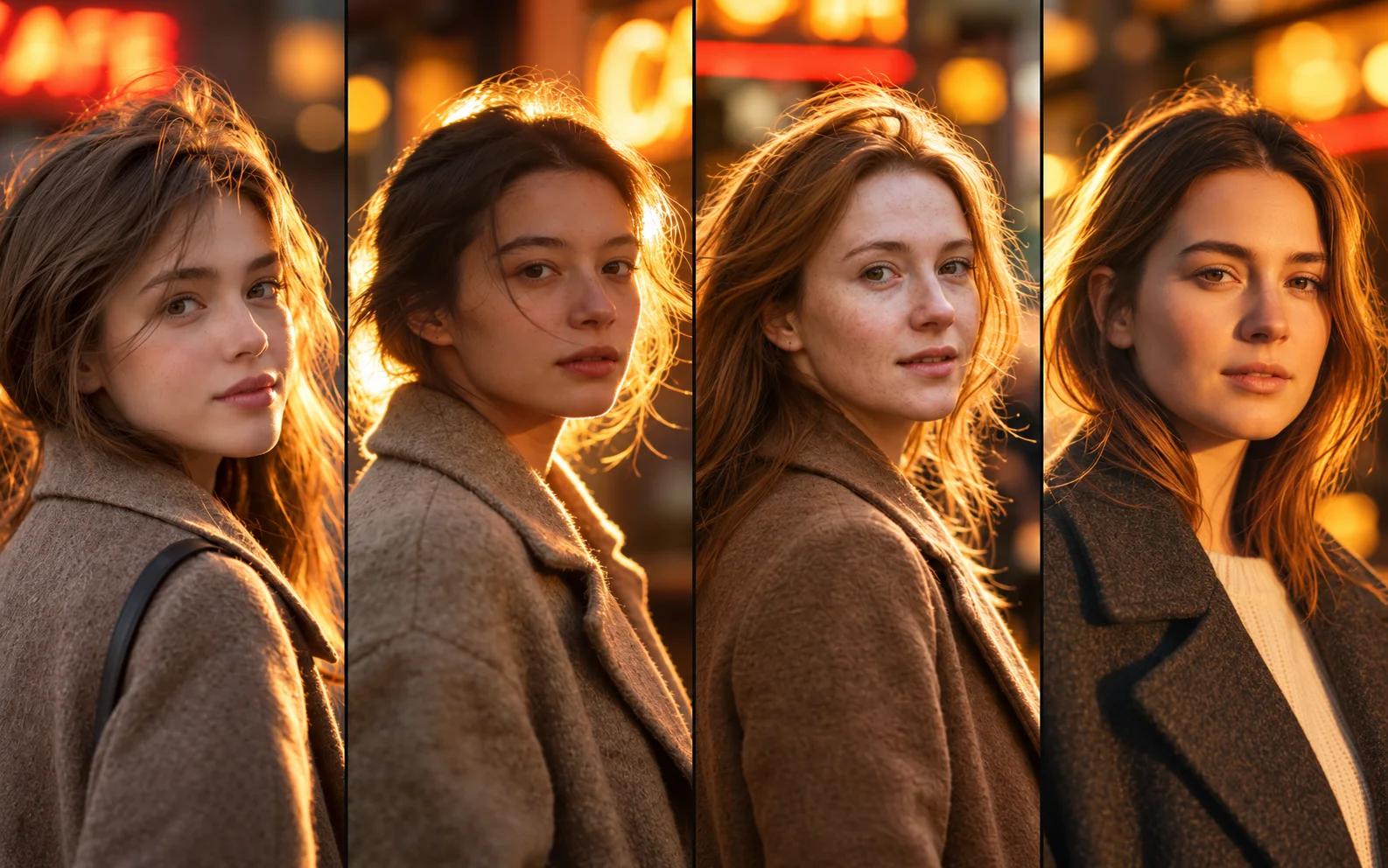
Model comparison
GPT Image 2 and 2.5 Pricing by Quality Tier
GPT Image 2 and GPT Image 2.5 pricing on CVY.AI: credits for each quality tier at 1K, 2K and 4K, and the fixed per-image price without a tier.
On this page
As of November 2, 2026, GPT Image 2, GPT Image 2.5 Flare and GPT Image 2.5 Sunburst on CVY.AI have a quality setting. With the setting off, each image has a fixed price. With it on, you can choose one of five tiers from Standard to Max; higher tiers produce finer detail and sharper text.
This post explains how credits are calculated and what each tier costs, and lists 14 images we generated on the live site with the credits each one used.
How credits are calculated
What a GPT model uses to generate an image depends on how much it has to process. The model reads the prompt and every reference image, so a longer prompt and more references mean more to process. The output works the same way: higher quality and higher resolution both increase the work involved.
For this reason, when a quality tier is on, credits vary with the tier and the resolution, and reference images are charged per image.
If a generation fails, your credits are returned automatically. When the model fails or refuses an image, there is usually still a cost on our side; we absorb it and do not charge it to you. However, accounts that repeatedly submit requests that are refused, most often for content that breaks the rules, may be closed, and any remaining balance will not be refunded.
Quality setting off: a fixed price per image
If quality is not a particular concern, leave the setting off. Each image is charged at a fixed price, and neither the length of the prompt nor the number of reference images changes it; we cover those costs. In our tests, results in this mode are broadly comparable to the Plus tier, although this varies by prompt and is not guaranteed.
| Model | 1K | 2K | 4K | Reference images |
|---|---|---|---|---|
| GPT Image 2 | 2 credits | 3 | 5 | no charge |
| GPT Image 2.5 Flare | 3 credits | 6 | 9 | no charge |
| GPT Image 2.5 Sunburst | 4 credits | 7 | 10 | no charge |
New accounts receive 5 free credits. GPT Image 2 is the default model, so that covers two 1K images.
Quality setting on: five tiers
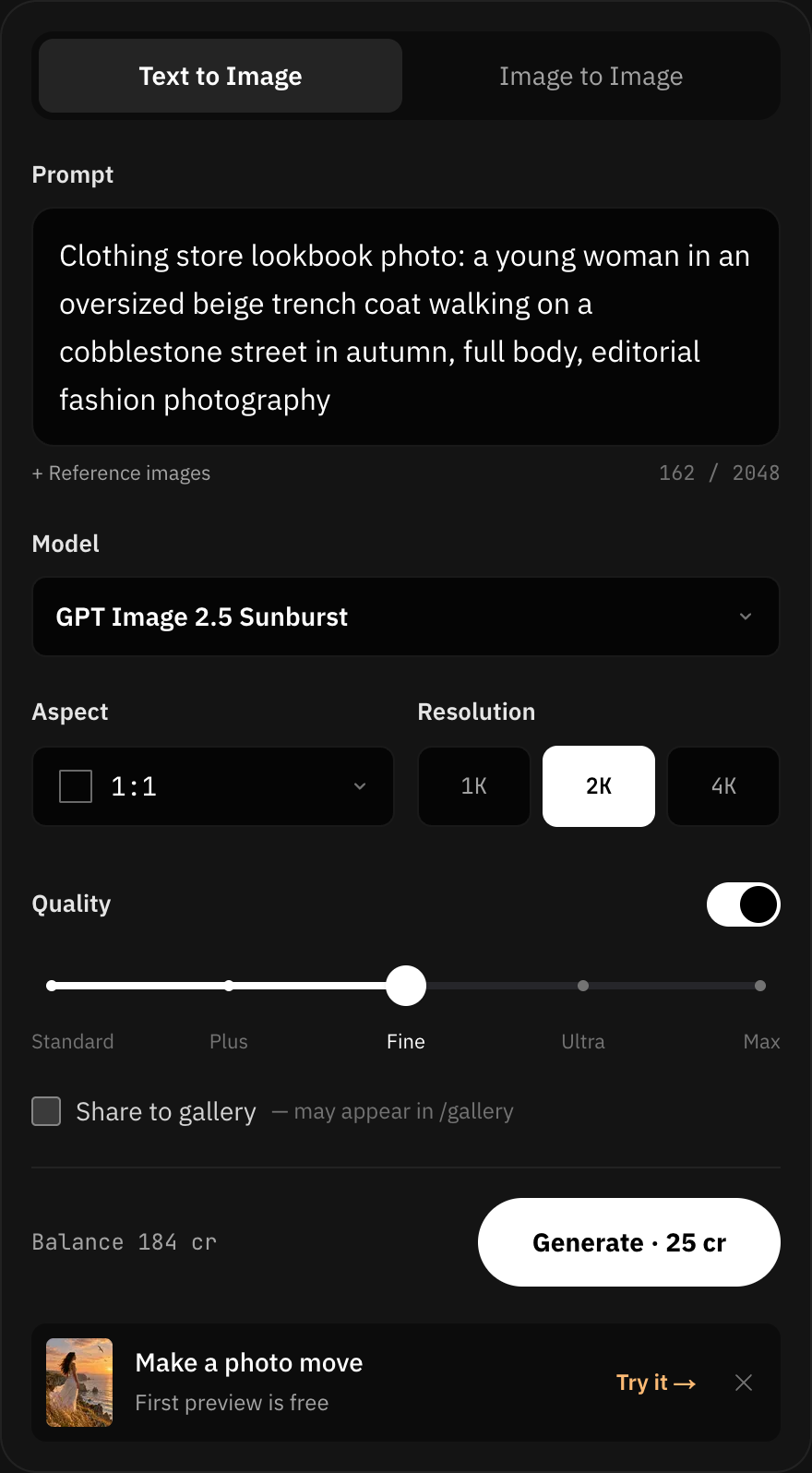
As you move the slider, the credit total on the Generate button updates, so the cost is clear before you submit.
| Tier | 1K | 2K | 4K | Models |
|---|---|---|---|---|
| Standard | 2 credits | 4 | 6 | GPT Image 2, GPT Image 2.5 Flare, GPT Image 2.5 Sunburst |
| Plus | 6 credits | 8 | 10 | GPT Image 2.5 Flare, GPT Image 2.5 Sunburst |
| Fine | 15 credits | 25 | 35 | GPT Image 2, GPT Image 2.5 Flare, GPT Image 2.5 Sunburst |
| Ultra | 20 credits | 40 | 60 | GPT Image 2.5 Flare, GPT Image 2.5 Sunburst |
| Max | 40 credits | 80 | 120 | GPT Image 2, GPT Image 2.5 Flare, GPT Image 2.5 Sunburst |
With a tier on, each reference image adds 2 credits.
Quality and resolution are independent. Resolution sets the size of the image; quality sets how fine the detail and text are.
14 test images
We generated 14 images on the live site for common e-commerce and creator tasks. All are 1K except one at 2K.
| # | Task | Model and tier | Credits |
|---|---|---|---|
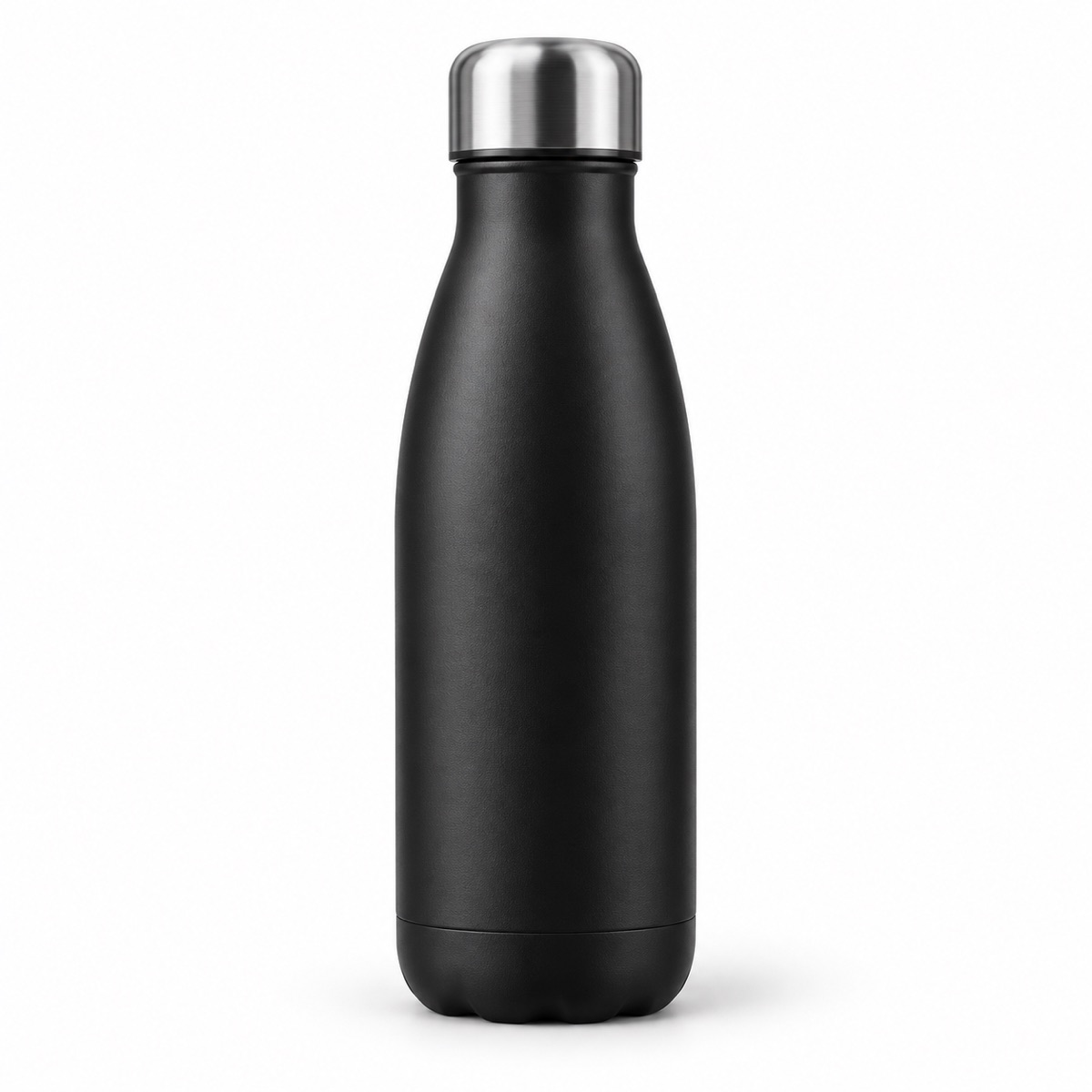
| 1 | White-background product shot | GPT Image 2, off | 2 |
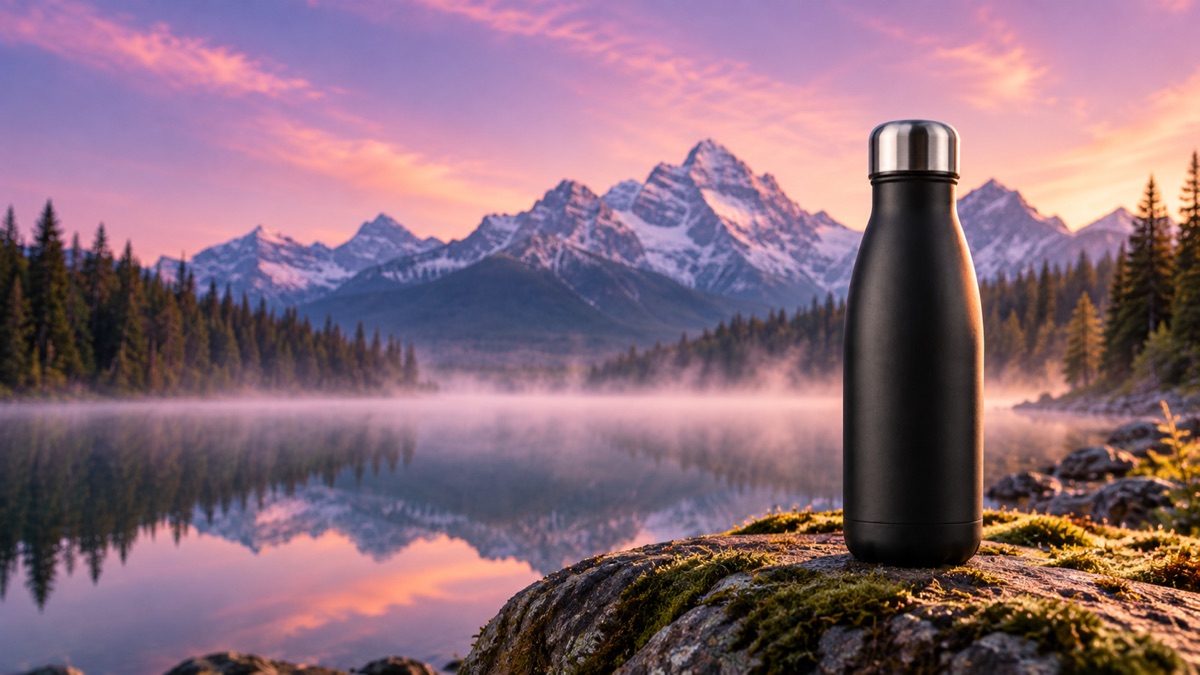
| 2 | Same product in an outdoor scene, 2 references | GPT Image 2, off | 2 |
| 3 | Food blogger cover with a title | GPT Image 2, Standard | 2 |
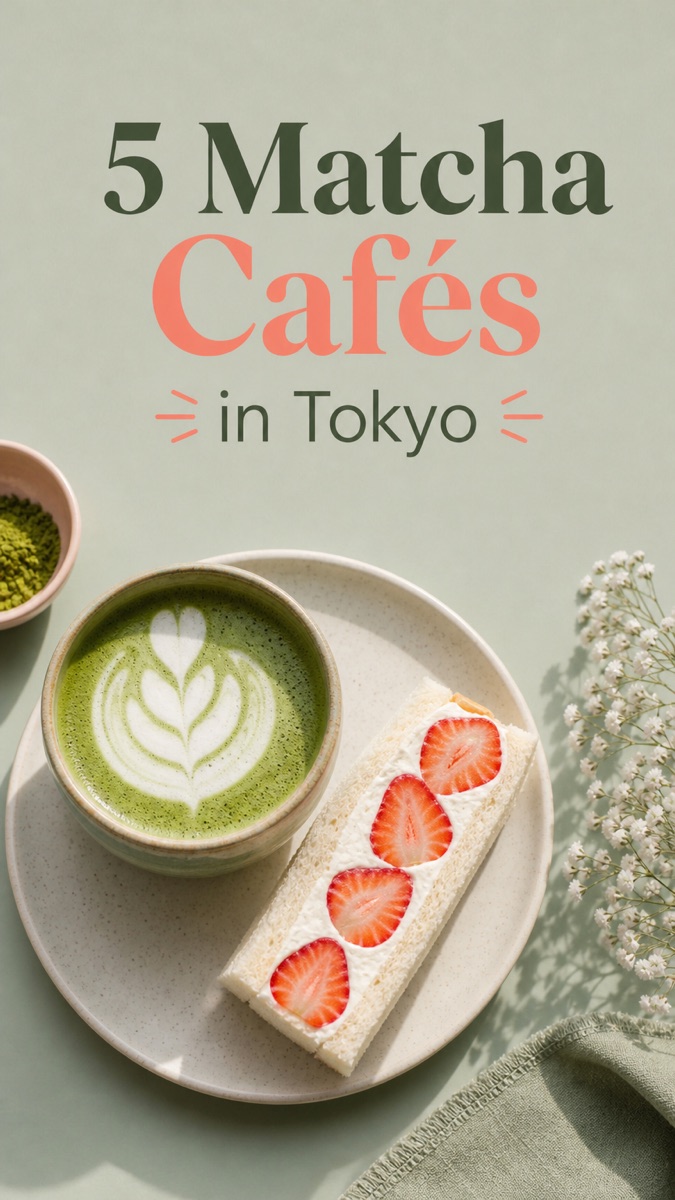
| 4 | Same cover with a new title and food, 1 reference | GPT Image 2, Fine | 17 |
| 5 | Black Friday sale poster | GPT Image 2, Max | 40 |
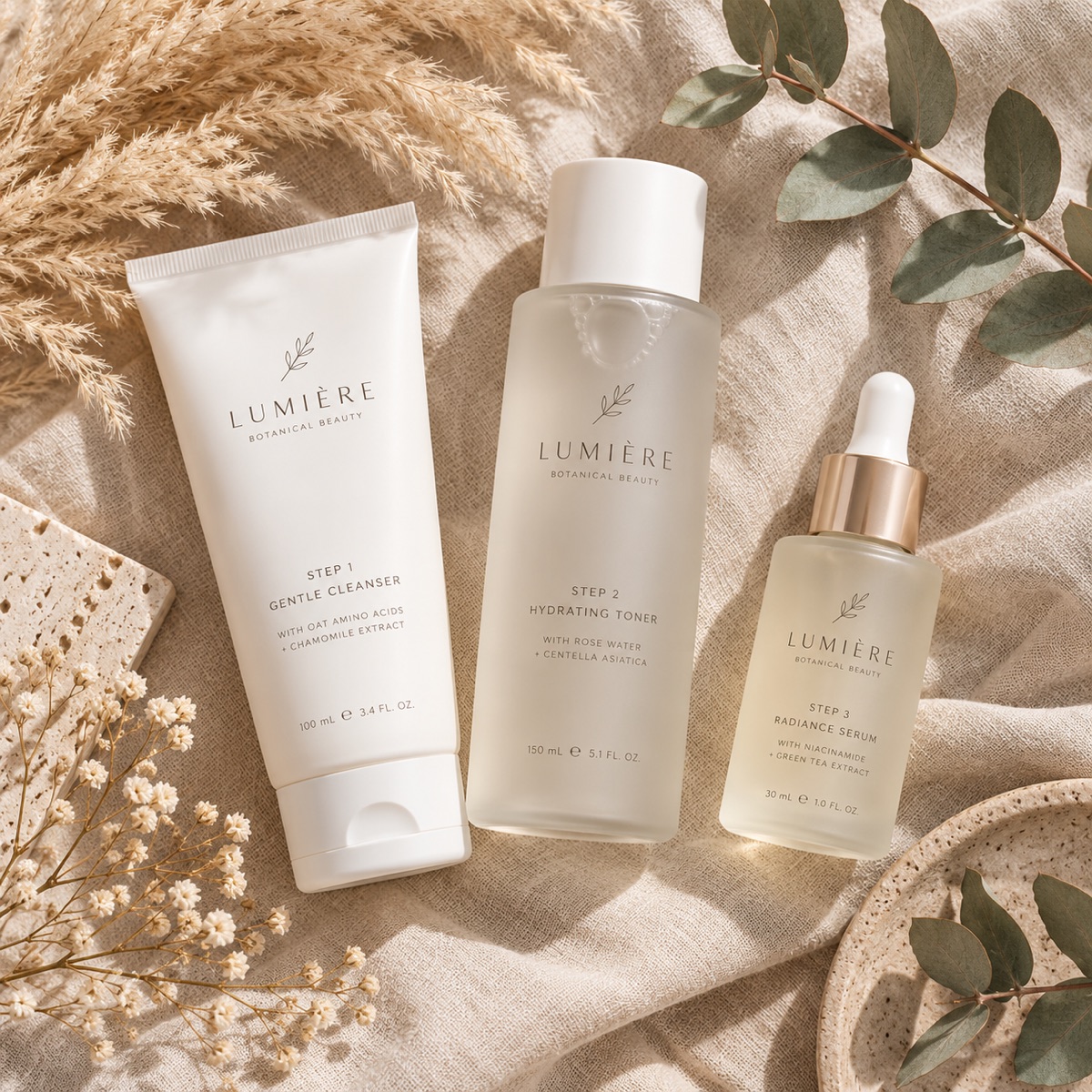
| 6 | Skincare flat-lay | Flare, off | 3 |
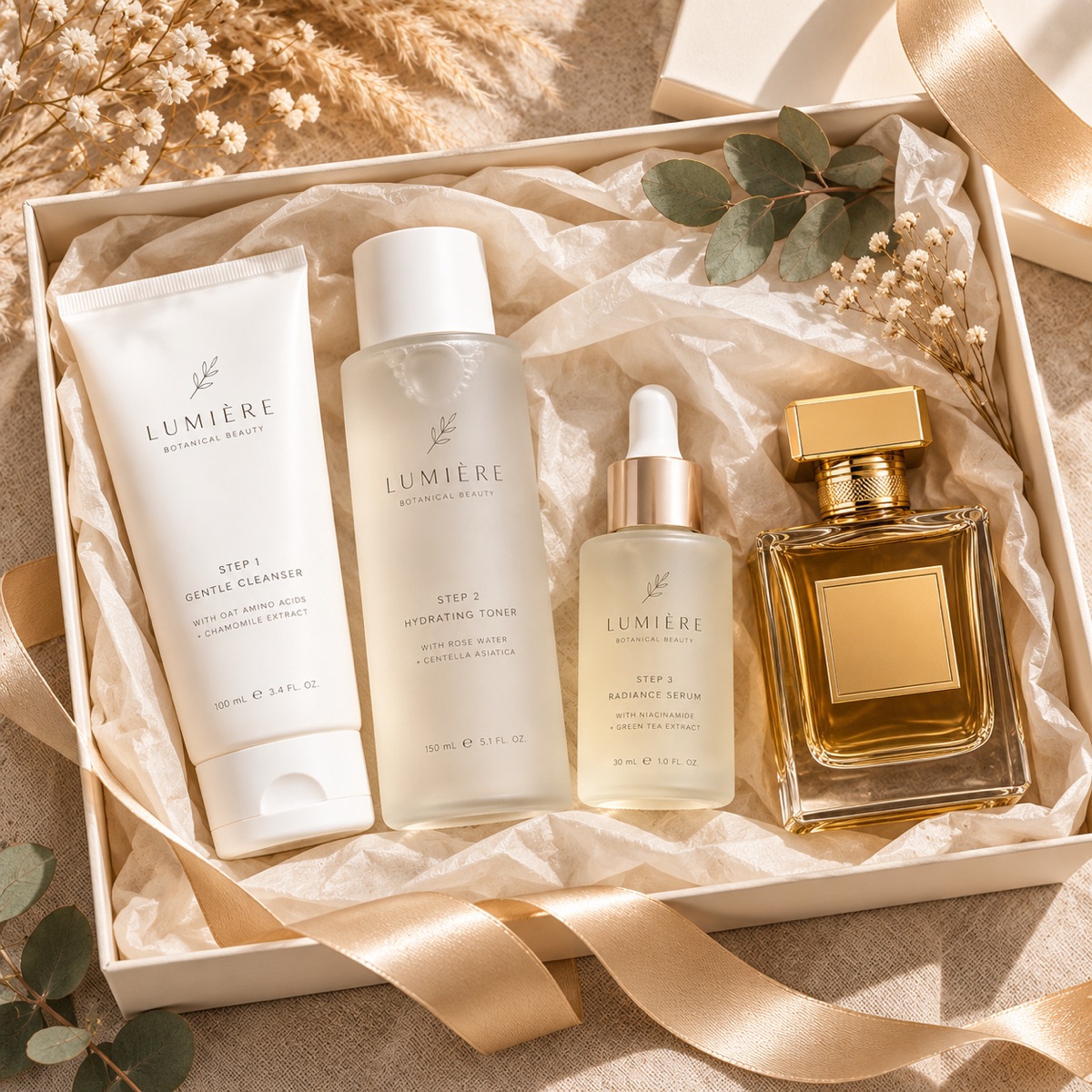
| 7 | Two products combined in a gift box, 2 references | Flare, off | 3 |
| 8 | Video thumbnail with a headline | Flare, Plus | 6 |
| 9 | Same thumbnail with a Chinese headline, 1 reference | Flare, Ultra | 22 |
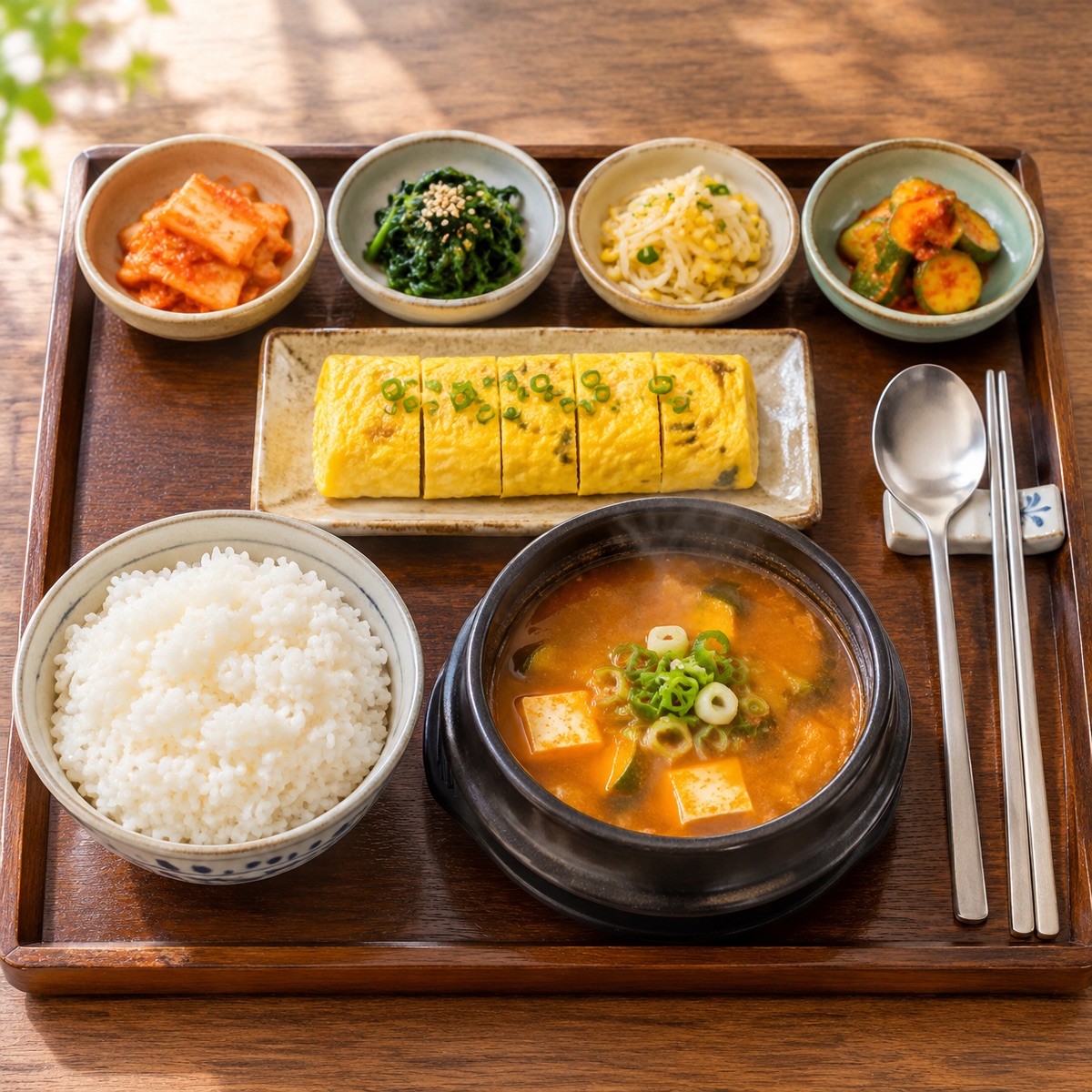
| 10 | Restaurant menu photo, 2K | Flare, off | 6 |
| 11 | Earbuds product shot | Sunburst, off | 4 |
| 12 | Earbuds on marble, 2 references | Sunburst, Standard | 6 |
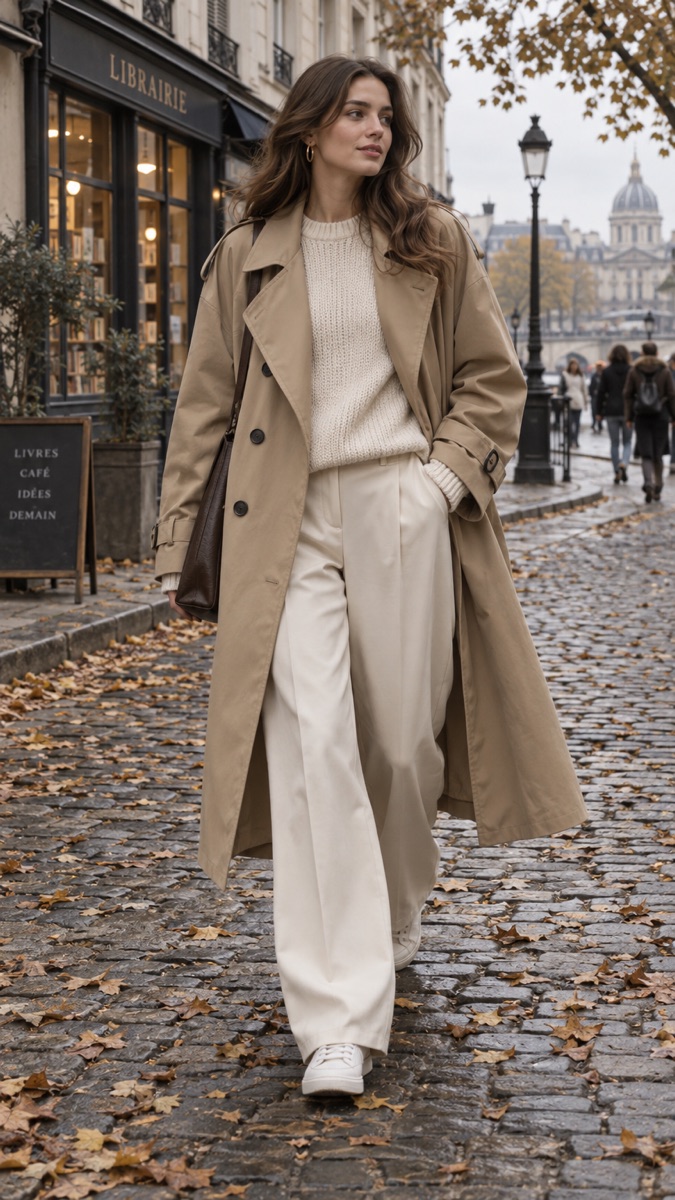
| 13 | Clothing lookbook photo | Sunburst, Fine | 15 |
| 14 | Product feature graphic | Sunburst, Max | 40 |
The total was 168 credits. Nine of the images are shown below.
E-commerce: from a white background to a scene
The first image is a black water bottle on white, made with GPT Image 2 with the quality setting off, for 2 credits.
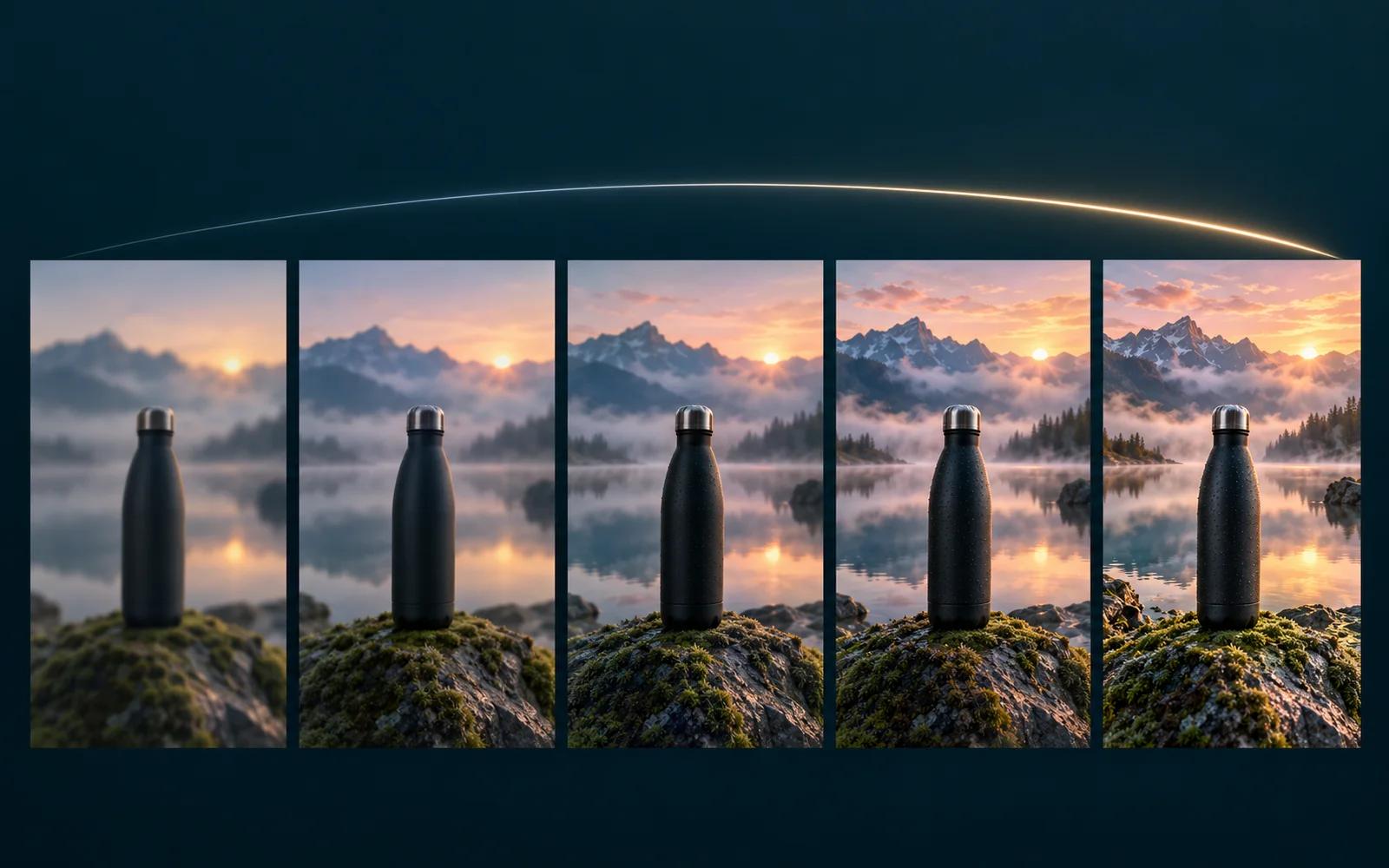
The second uses the first image and a mountain lake photo as references. The prompt asked for the bottle on a mossy rock at the shore, unchanged in appearance, with space on the left for a headline. Reference images carry no charge with the setting off, so this was also 2 credits.
The gift box followed the same approach: a skincare flat-lay with Flare (3 credits), then that set and a perfume bottle combined into one gift box (3 credits).
Creators: changing the text on a cover
Images with text show the difference between tiers most clearly. The brunch cover was made on Standard for 2 credits, and the title is clean and complete.
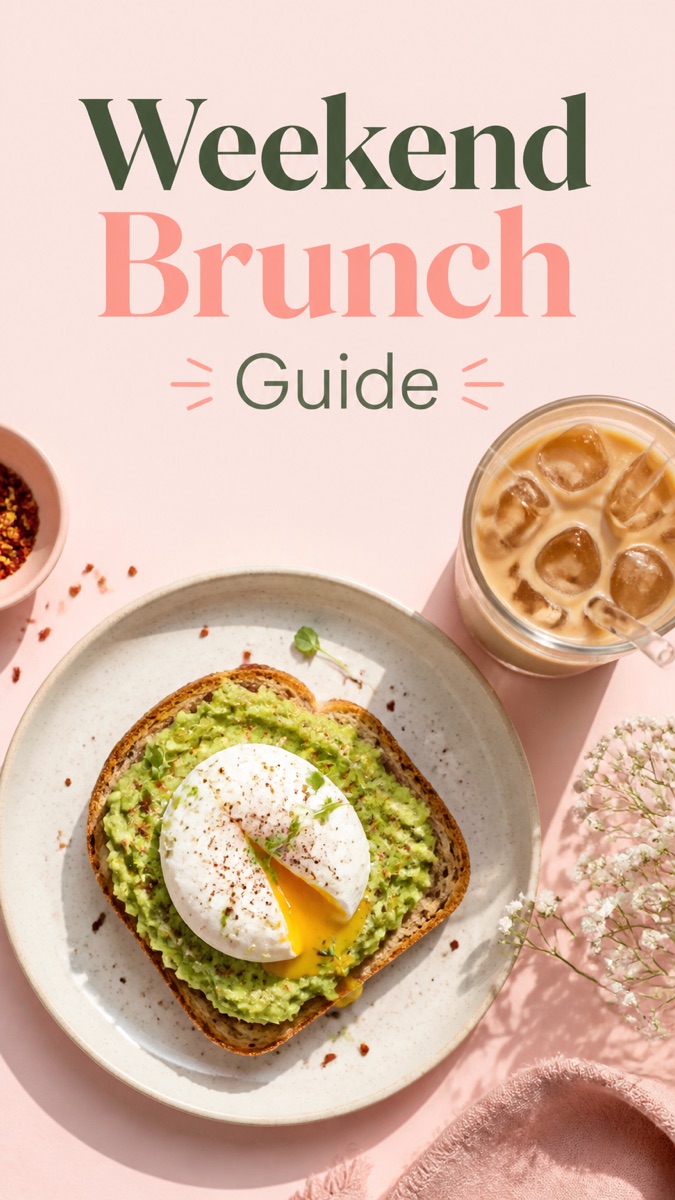
The next image uses that cover as a reference, changes the title to "5 Matcha Cafés in Tokyo", replaces the food and the table, and keeps the layout and fonts. It was made on Fine: 15 credits plus 2 for the reference, 17 in total. The type, spacing and overall style match the original. An edit like this would otherwise mean adjusting layers in design software and retyping the title.
We ran the same test on a video thumbnail: the English version on Plus for 6 credits, then the same thumbnail with a Chinese headline on Ultra, using the first as a reference, for 22 credits.
For images with text, we recommend starting at Fine. For photos without text, leaving the setting off or using Standard is usually sufficient.
Other uses
Korean breakfast menu photo: Flare, quality setting off, 2K, 6 credits.
Clothing lookbook photo: Sunburst, Fine, 15 credits.
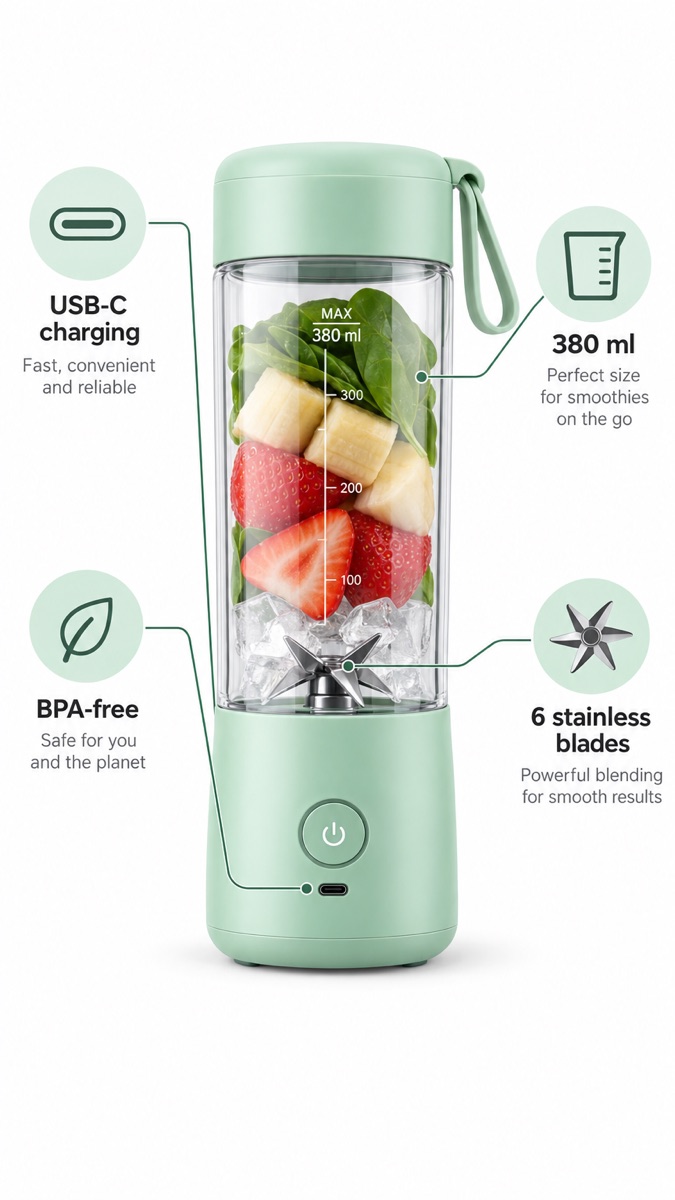
Blender feature graphic: Sunburst, Max, 40 credits. All four labels are spelled correctly, and the icons and leader lines are complete. This tier suits images that must communicate clearly on a product page.
Choosing a tier
- Everyday product photos, background changes and edits: leave the quality setting off. The price is fixed and reference images carry no charge.
- Large batches of simple images: Standard, the lowest price per image.
- Covers, posters, thumbnails, labels and other images with text: Fine, or Ultra and Max when the text is small or dense.
- A tier with several reference images: each adds 2 credits, so consider turning the setting off for that task.
- When unsure: start on Standard and move up one tier at a time if the detail or text falls short.
- Flare or Sunburst: see our side-by-side comparison.
Current prices are listed on the pricing page. Visitors can generate one image free on the home page without signing up, with GPT Image 2 as the default model.
- GPT Image 2
- GPT Image 2 pricing
- GPT Image 2.5
- Quality settings
- Credits
Put your next idea into a picture.
Open the image generator with your own prompt, or choose an example to start exploring.
Open image generator →