Model comparison
GPT Image 2.6: What's New and How to Make GIFs
GPT Image 2.6 adds animated GIFs. See what changed from 2.5, how Flare and Sunburst differ, real results, and how to make a text to GIF on CVY.AI.
On this page
OpenAI released ChatGPT Images 2.6 on November 4, 2026. Developers know the same release as GPT Image 2.6, in two versions: Flare and Sunburst. The feature everyone is talking about is animated GIFs. You type a sentence and get a looping GIF back.
Both versions are in the CVY.AI image generator, with no OpenAI account or API key needed. We ran about twenty images and GIFs through them this week. Here is what changed, what the results look like, and how to make your own GIF.
What's new in GPT Image 2.6
OpenAI's announcement lists four main changes:
- Animated GIFs. Turn a prompt or an image into a GIF.
- Faster generation. OpenAI says the new versions are 50% faster and that Flare can finish in as little as six seconds. It doesn't say what that 50% is measured against.
- Steadier edits on Sunburst. OpenAI describes Sunburst as higher quality and more consistent across edits.
- Markup and SVG export. You can mark the part of an image to change, or export a drawing as an SVG file.
Our own timings were slower than OpenAI's best case. Still images took 12 to 31 seconds on Flare and 24 to 42 seconds on Sunburst. GIFs took 17 to 52 seconds. That is still short enough to try several ideas in a row.
CVY.AI has GIFs, reference images and transparent backgrounds, but not markup or SVG export. ChatGPT also lets you change a GIF's speed or edit single frames afterwards. Here you set the frame count and duration before you generate.
Flare or Sunburst?
| GPT Image 2.6 Flare | GPT Image 2.6 Sunburst | |
|---|---|---|
| Best for | Everyday images, quick drafts, GIFs | Product images, edits, final versions |
| 1K, Quality off | 3 credits | 4 credits |
| 1K, Quality on | From 7 credits | From 7 credits |
| Highest resolution | 4K | 4K |
| GIF, Quality off | 3 credits | 4 credits |
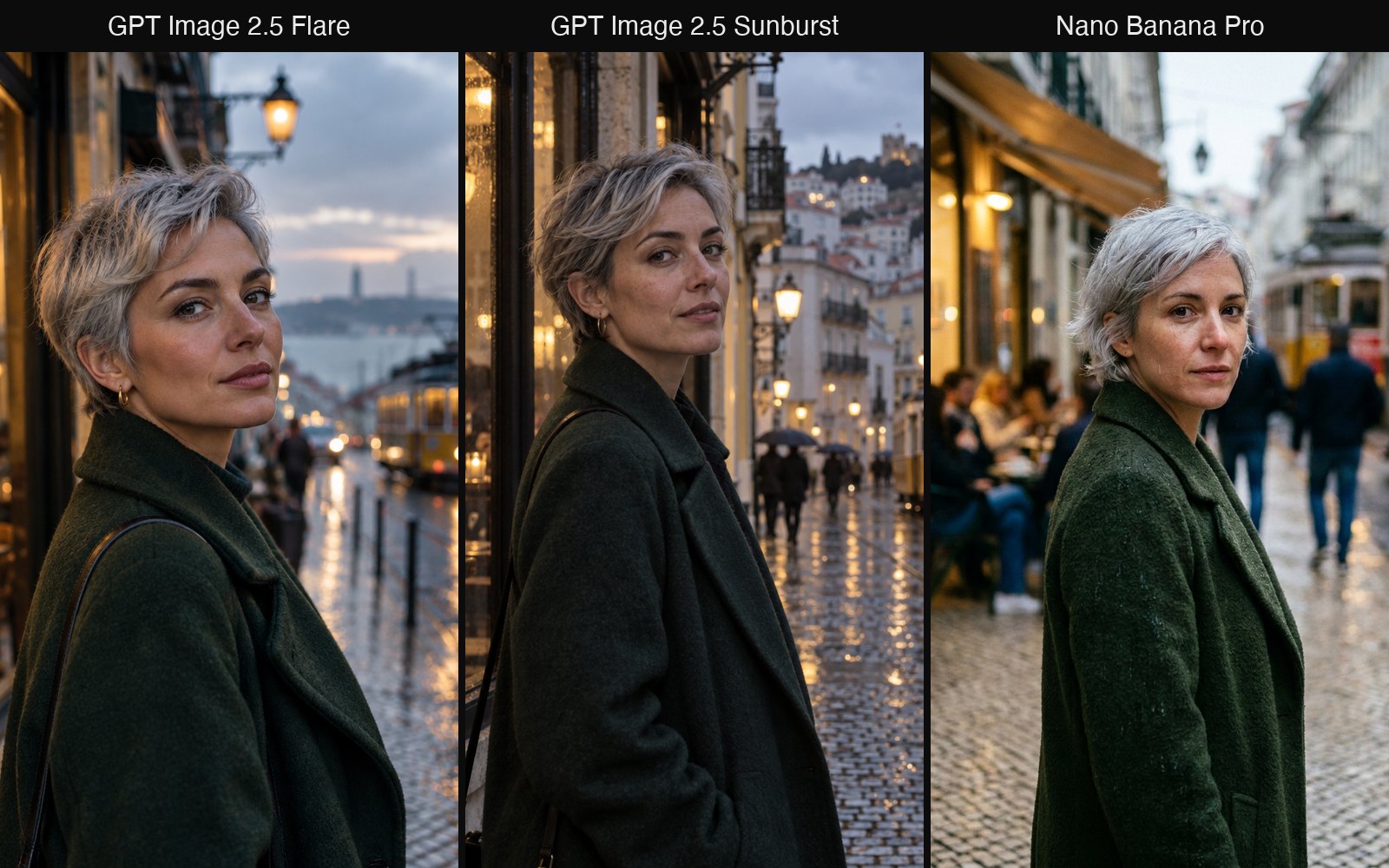
Our advice is simple: start on Flare, and move to Sunburst when a result is close but details matter. With Quality on, the two cost the same, so the choice comes down to speed against care. If you are coming from the last release, our GPT Image 2.5 comparison uses the same two names.
What the results look like
Text in a layout
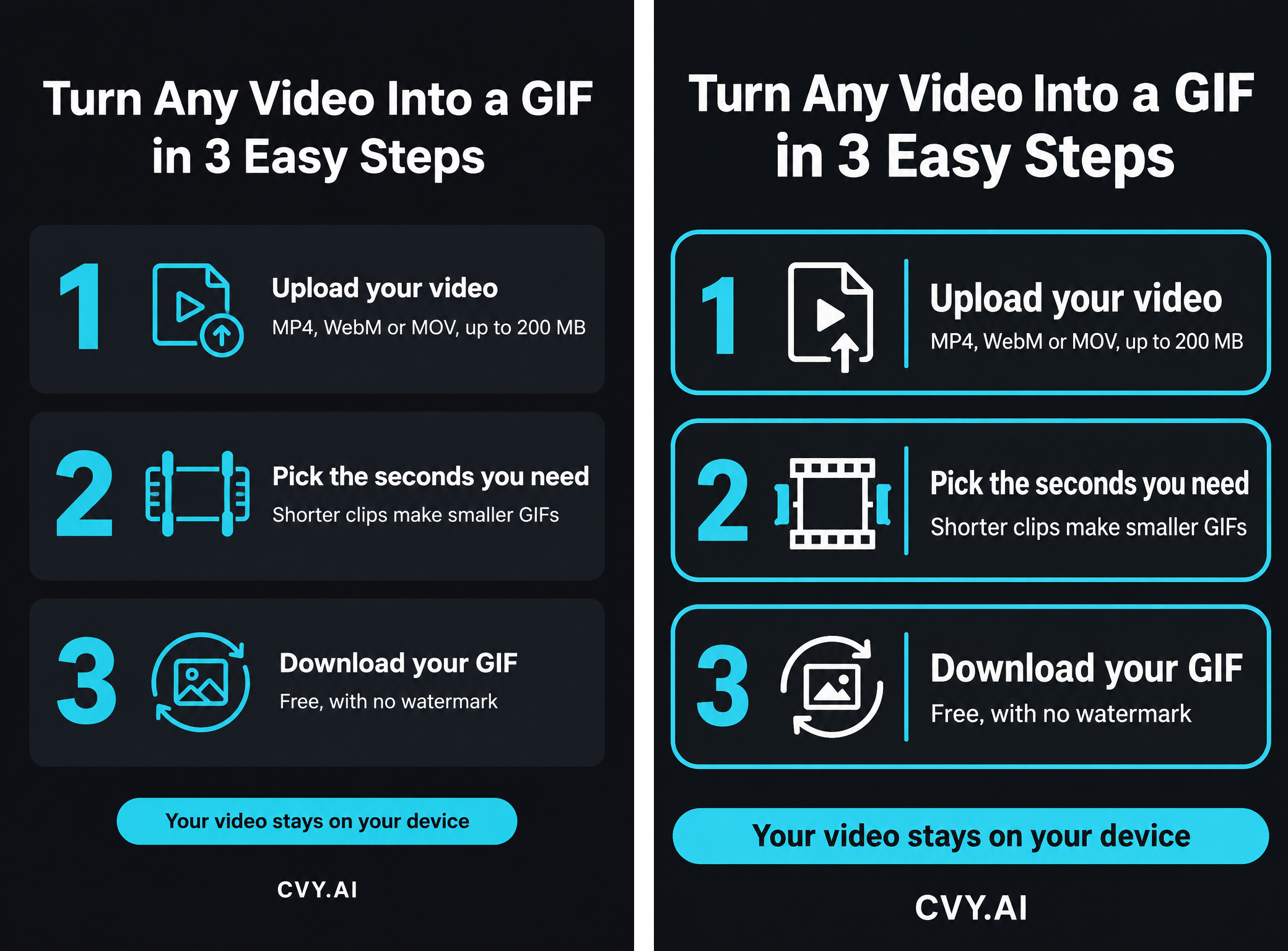
We gave GPT Image 2.5 Flare and GPT Image 2.6 Flare the same long prompt for a how-to graphic, both on Plus. Both spelled every word correctly. The 2.6 version on the right has larger type and clearer cards, so it reads more easily on a phone. Always check the wording yourself before you publish, especially small print.
A product in a new scene
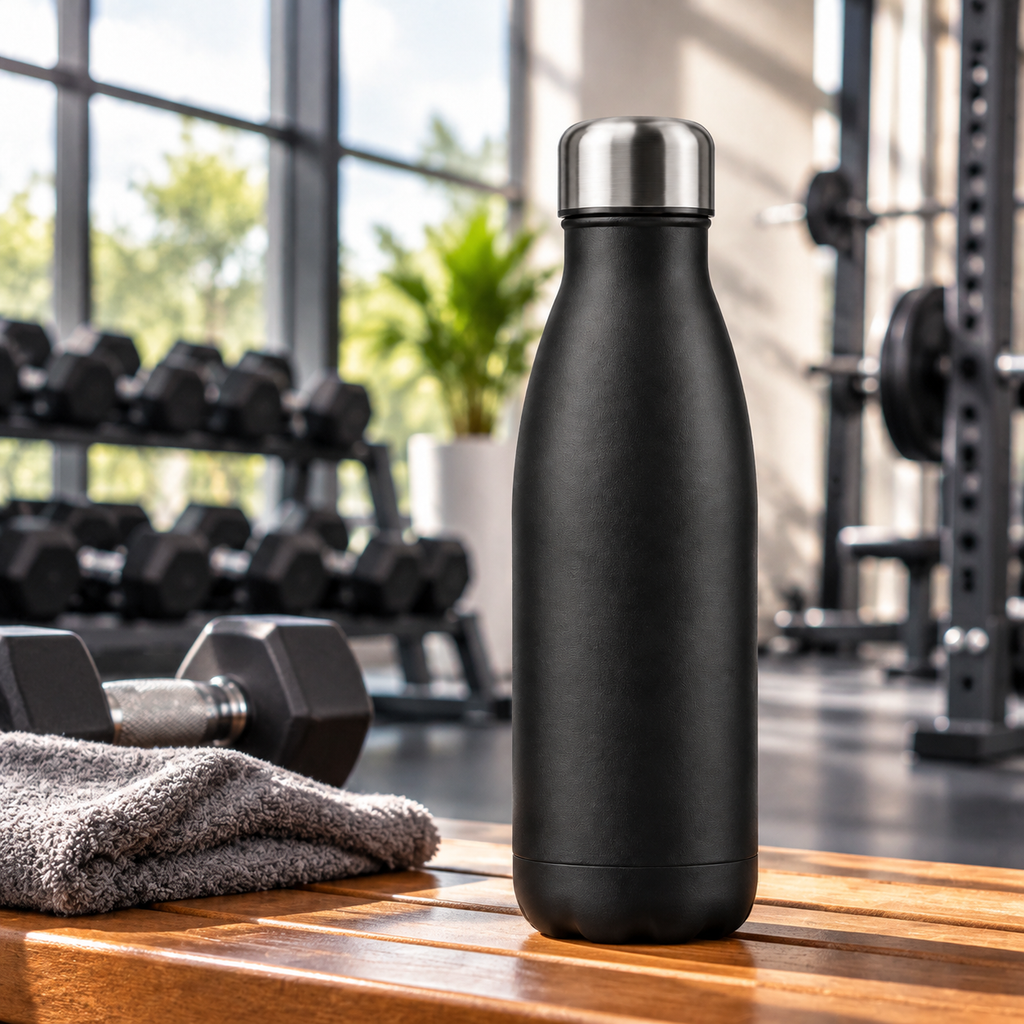
For this one we gave Sunburst two reference photos of a black water bottle and asked for a gym scene. With Quality off it cost 4 credits, and reference images add nothing to that price.
A transparent background
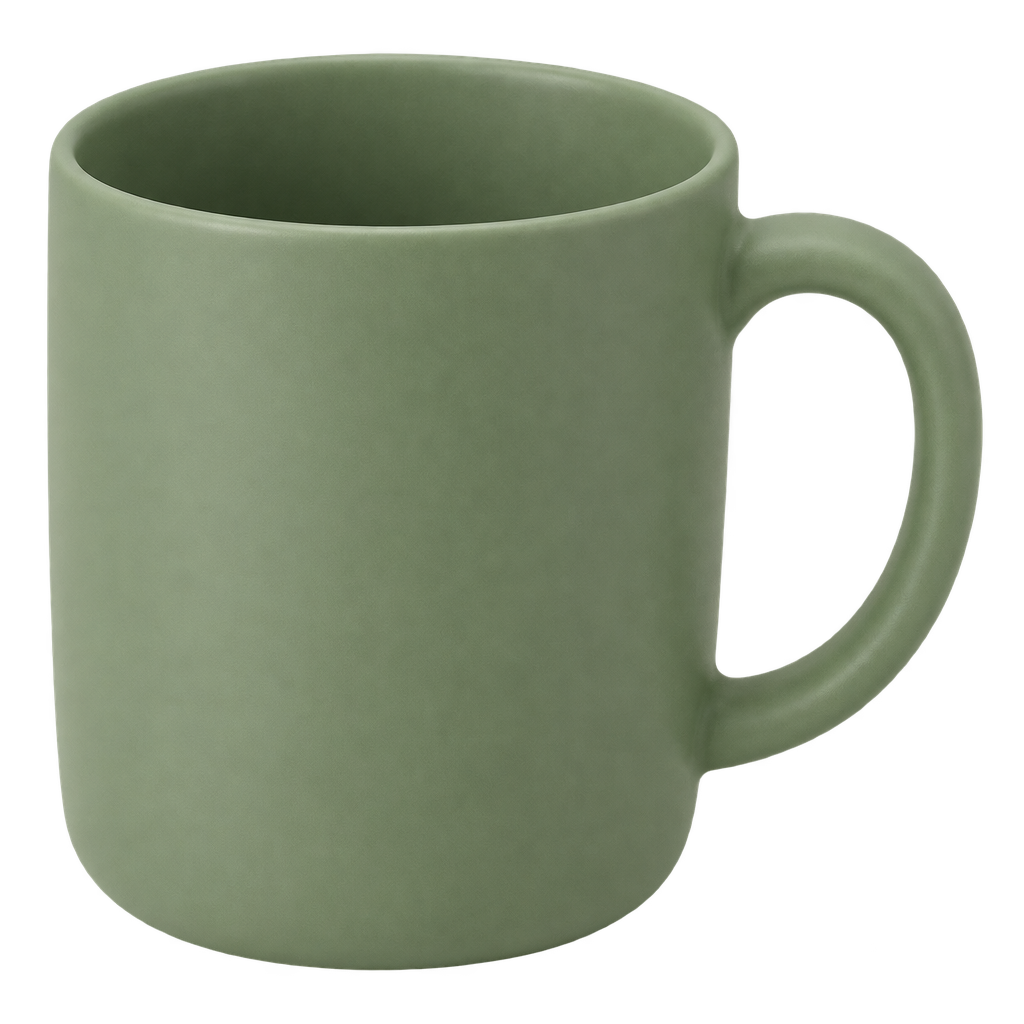
Turn on Transparent background with Quality on, and you get a real cut-out instead of a fake checkerboard drawn into the picture. This mug took 7 credits on Sunburst at Standard. The file below is the original, so you see this page's background through it.
How to make a GIF from text
Choose either 2.6 version in the generator and you will see a new Animated GIF switch. There are two ways to use it.
The quick way: Quality off
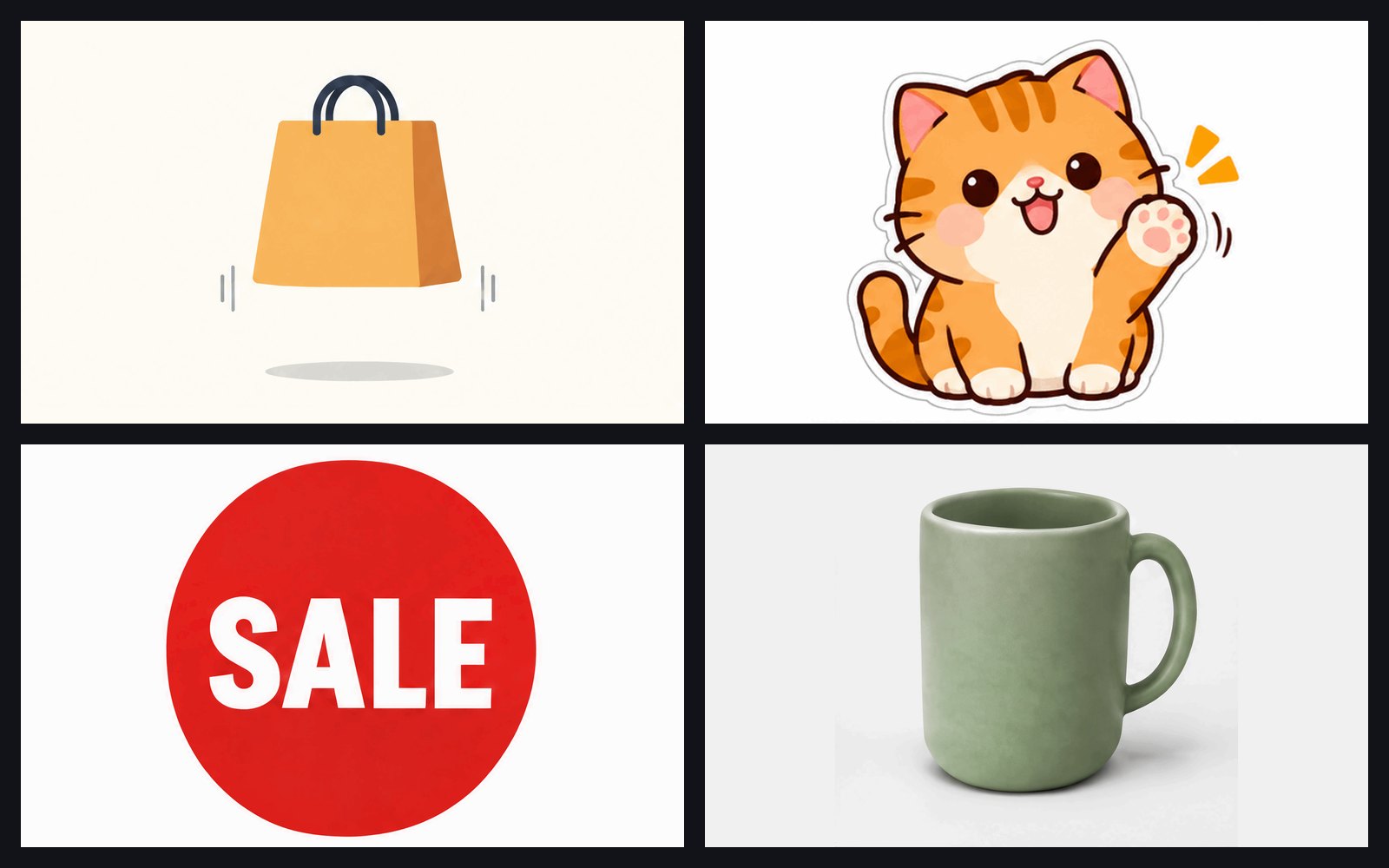
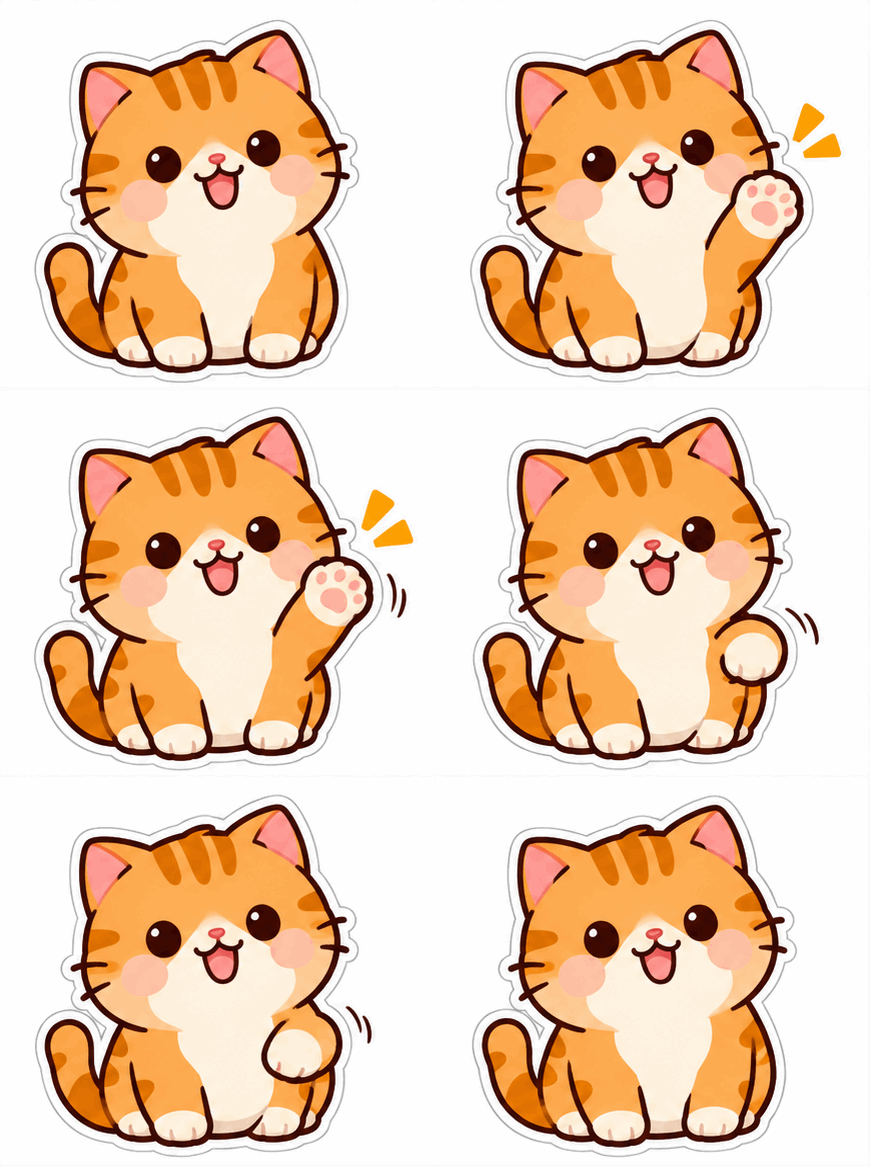
Leave Quality off, write your prompt and press Generate. It costs 3 credits on Flare or 4 on Sunburst. The shape and length are chosen for you. Our sticker came back with 9 frames at 1.8 seconds.
Prompt: A cute round orange cat sticker with a thick white outline waves one paw, then returns to the starting pose. Plain white background, flat cartoon style, fixed camera, seamless loop.
The controlled way: Quality on
Turn Quality on and you can choose:
- The aspect ratio: 1:1, 4:3, 3:4, 16:9 or 9:16
- The number of frames, anywhere from 2 to 16
- The duration: 1, 2, 3 or 5 seconds
- The quality level, from Standard to Max
- Reference images, if the GIF should start from your own product or character
GIFs with Quality on start at 10 credits. The exact price shows on the Generate button as you change the settings, so you always see it before you start. Here is what we made on Flare at Standard.
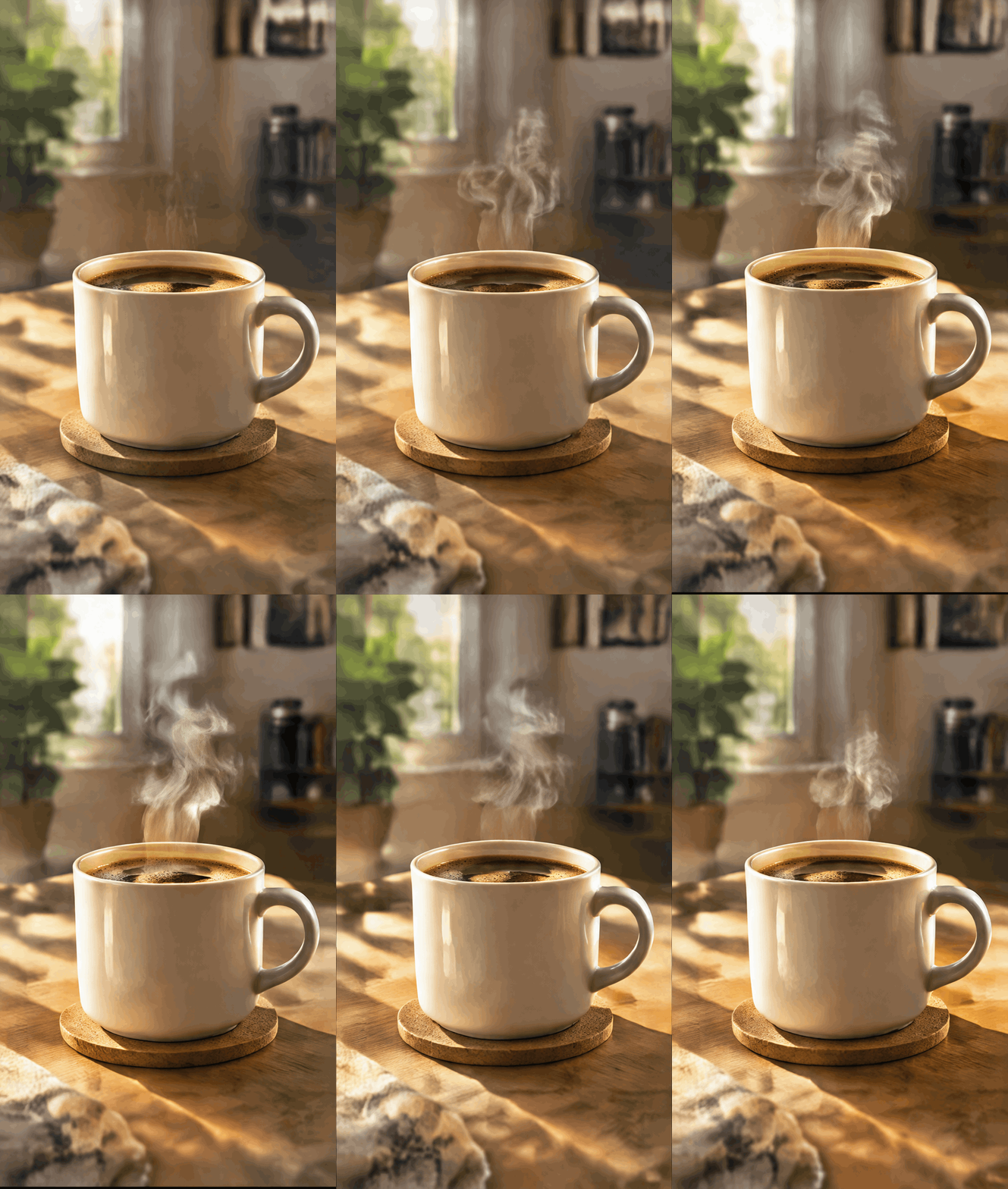
A vertical clip for social media. 9:16, 12 frames, 3 seconds, 15 credits. The steam moves well, though the background shifts a little between frames.
Prompt: A cup of coffee on a wooden table, steam rising slowly. Warm morning light, fixed camera, seamless loop.
A shop badge. 4:3, 9 frames, 2 seconds, 15 credits. The word stays readable in every frame, while the edge of the circle wobbles slightly.
Prompt: A round red badge with the white word SALE gently pulses once. Plain white background, flat design, seamless loop.

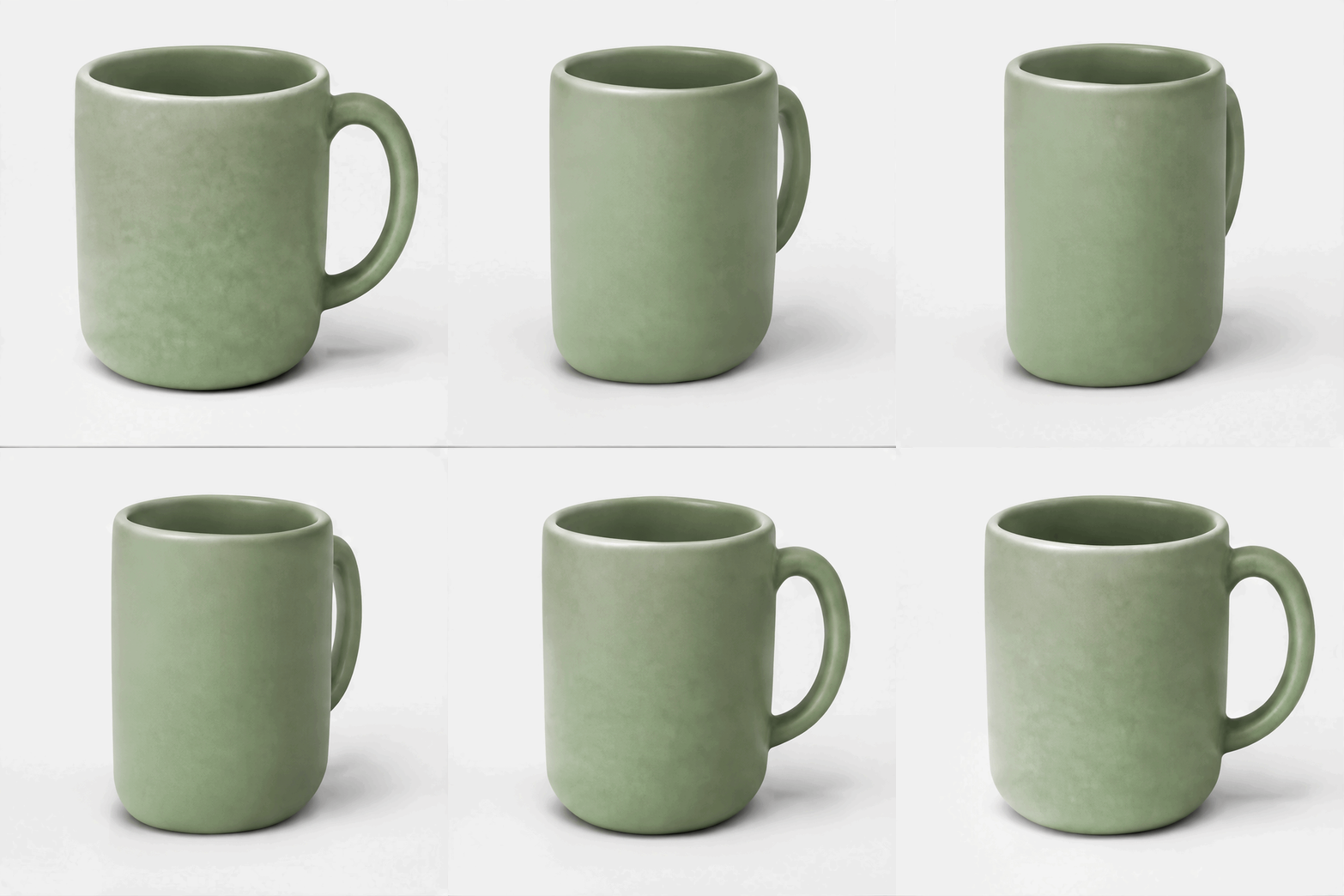
A product from your own photo. 1:1, 16 frames, 2 seconds, 22 credits including 2 for the reference image. We used the mug from above. The handle turns behind the mug and comes back, which is hard to fake with a simple zoom.
Prompt: Turn this green mug slowly from left to right, then back to the start. Plain light background, fixed camera, seamless loop.
Prompts that work for GIFs
- Ask for one movement. "Waves one paw" works. "Dances, jumps and spins" usually falls apart.
- Say how it ends. "Then returns to the starting pose" gives you a cleaner loop.
- Keep the camera still. Write "fixed camera" and the subject stays in place.
- Use a plain background. The fewer details there are, the less can shift between frames.
- Keep words short. One or two words hold up better than a sentence.
- Match frames to the motion. Eight frames are enough for a small bounce. Use 12 to 16 for a slow turn.
What it's best for
These GIFs suit stickers, icons, badges, small product moves and reaction images. Details can change slightly from frame to frame, and busy scenes show it most. If you need smoother motion from a particular photo, our AI GIF generator makes a 5-second animation for 25 credits. If you already have the pictures, the GIF maker joins them for free in your browser. Our photo to GIF guide compares these routes.
FAQ
Can ChatGPT make GIFs?
Yes. OpenAI added GIFs to ChatGPT with Images 2.6, though the feature has been rolling out gradually. On CVY.AI you can set the frame count, duration and aspect ratio before you generate, and pay per GIF in credits.
Can I make a GIF from my own photo?
Yes. Turn Quality on and add the photo as a reference image. Each reference adds 2 credits.
Can a GIF have a transparent background or 4K resolution?
No. While the GIF switch is on, Transparent background and 2K or 4K are unavailable. Use them for still images.
Which frame count should I choose?
Start with the default of 8 frames at 2 seconds. Add frames if the movement looks jumpy, and shorten the duration if it feels slow.
Do I need an account?
GIFs need a free CVY.AI account and credits. See the pricing page for credit options. Visitors can also generate one still image free on the home page without signing up, with GPT Image 2 as the default model.
Ready to try it? Open the generator with GPT Image 2.6 Flare, write one small movement and see what comes back.
- GPT Image 2.6
- ChatGPT Images 2.6
- GPT Image 2.6 Flare
- GPT Image 2.6 Sunburst
- Text to GIF
Put your next idea into a picture.
Open the image generator with your own prompt, or choose an example to start exploring.
Open image generator →