By OpenAI · November 4, 2026New
GPT Image 2.6 Flare
OpenAI's fast GPT Image 2.6 model for everyday images and animated GIFs, from 3 credits.
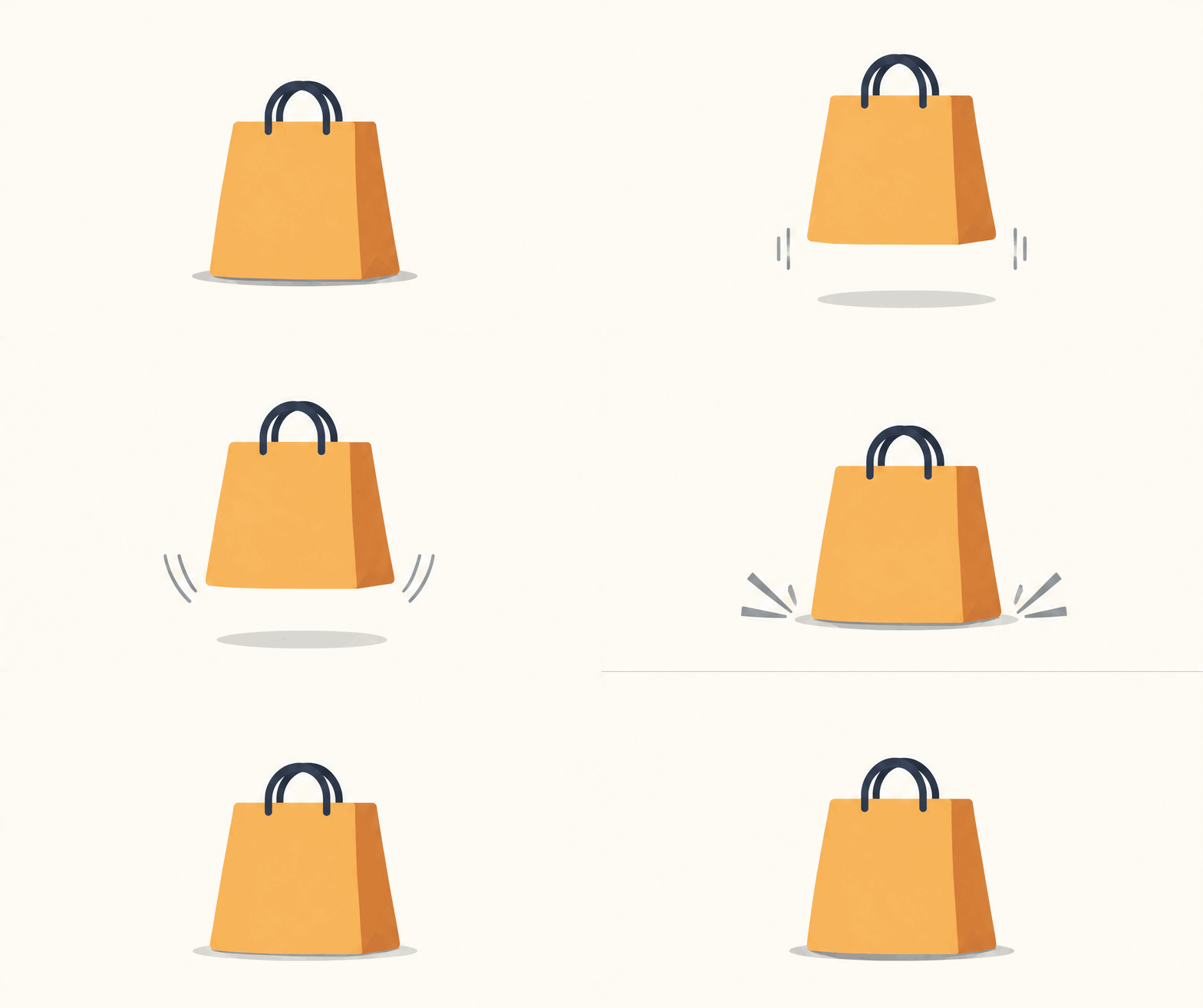 Sample
- Vendor
- OpenAI
- Released
- Nov 4, 2026
- Max resolution
- 4K
- Modes
- Generate, edit, GIF
What is GPT Image 2.6 Flare?
GPT Image 2.6 Flare is the fast version of GPT Image 2.6, which OpenAI released on November 4, 2026. In ChatGPT the same release is called ChatGPT Images 2.6. On CVY.AI you can use Flare in your browser with text or reference images, and you do not need an OpenAI account or an API key.
The biggest change in this release is animated GIFs. Choose Flare in the generator, turn on the Animated GIF switch, and write what should move. The switch only appears on GPT Image 2.6, so this is the place to start if you want a text to GIF result rather than a still image.
There are two ways to make a GIF. With Quality off, you only write the prompt and pay 3 credits. The shape, frame count and length are chosen for you, and a typical result has about nine frames and lasts just under two seconds. With Quality on, you pick a ratio of 1:1, 4:3, 3:4, 16:9 or 9:16, any frame count from 2 to 16, and a duration of 1, 2, 3 or 5 seconds. You can also add reference images, so the GIF starts from your own product or character.
Here is what that looked like in our tests at Standard. A shopping bag icon bouncing once at 16:9 with 8 frames over 2 seconds cost 18 credits and came back at 1344×752. A vertical coffee clip at 9:16 with 12 frames over 3 seconds cost 15 credits. A red SALE badge at 4:3 with 9 frames cost 15 credits, and the word stayed readable in every frame. The Generate button always shows the exact price before you start.
GIFs work best when you ask for one small movement. Say how the movement ends, keep the camera fixed and use a plain background. "Waves one paw, then returns to the starting pose" gives a cleaner loop than a sentence that asks for several actions. Each frame is drawn separately, so small details can shift between frames, and busy scenes show this most.
For still images, Flare with Quality off costs 3 credits at 1K, with no extra charge for reference images. Turn Quality on when you need 2K or 4K, a transparent background or more detail. At Standard that costs 7, 14 and 21 credits for 1K, 2K and 4K. Plus, Fine, Ultra and Max cost more, and suit covers, posters and images with small text.
If you want a GIF of your own product, turn Quality on and add a clear photo as a reference. Plain backgrounds work best. We turned a green mug left to right and back at 1:1 with 16 frames, and the handle moved behind the mug and returned.
As with any image model, generated words, numbers and product details can be wrong, so check them before you publish. If a result is close but the details are not holding, run the same prompt on GPT Image 2.6 Sunburst and compare.
What GPT Image 2.6 Flare is good at
Animated GIFs from one sentence
Turn on Animated GIF, describe one small movement and get a looping GIF. With Quality off it costs 3 credits. With Quality on you choose the ratio, 2 to 16 frames and 1, 2, 3 or 5 seconds.
Quick results for trying ideas
OpenAI says Flare can finish in as little as six seconds. Our still images took 12 to 31 seconds, which is quick enough to change a prompt and go again several times.
Short text and clean layouts
Headlines, labels and simple how-to graphics usually come out readable. In our how-to graphic test, every word was spelled correctly. Dense or very small text still needs a check.
Up to ten reference images
Add reference photos to keep a product, character or style in a new image. With Quality off they add nothing to the price. With Quality on each one adds 2 credits.
Transparent backgrounds
Turn on Quality, then Transparent background, to get a real cut-out for stickers, icons and product images. Download it as a file that is empty behind the subject.
Five quality levels, up to 4K
Standard, Plus, Fine, Ultra and Max let you spend more only when an image needs it. Quality on also opens 2K and 4K, starting at 14 and 21 credits.
When to reach for GPT Image 2.6 Flare
Use it for
- +Making a GIF from text: stickers, icons, badges, product moves and reaction images.
- +Everyday images where you want to try several versions of a prompt.
- +Social posts, simple graphics and thumbnails with a short headline.
- +Quick reference-based edits at 1K for 3 credits.
Skip it for
- −Final product images where details must hold across edits; try GPT Image 2.6 Sunburst.
- −Long, smooth motion from a particular photo; the AI GIF generator makes a 5-second animation.
- −Transparent GIFs or GIFs above 1K, which are not available.
How much does GPT Image 2.6 Flare cost?
| Resolution | Credits |
|---|---|
| 1K | 3 |
| 2K | 14 |
| 4K | 21 |
Credits per image depend on the model and resolution shown above. See pricing for available credit options.
See pricing →FAQ
How do I make a GIF with GPT Image 2.6 Flare?
+
Open the generator, choose GPT Image 2.6 Flare and turn on Animated GIF. Describe one small movement and press Generate. Turn Quality on first if you want to choose the ratio, frames and duration, or add a reference image.
How much does a GIF cost?
+
With Quality off, a GIF costs 3 credits on Flare. With Quality on, it starts at 10 credits and depends on the ratio, frame count and quality level. Each reference image adds 2 credits. The Generate button shows the exact price as you change the settings.
What is the difference between Flare and Sunburst?
+
Both are GPT Image 2.6. Flare is the fast one, for everyday images and quick drafts. Sunburst is aimed at higher quality and steadier edits, and took longer in our tests. With Quality off, Flare costs 3 credits at 1K and Sunburst 4. With Quality on they cost the same.
What is new compared with GPT Image 2.5?
+
The main addition is animated GIFs. OpenAI also says generation is 50% faster, though it does not say what that is measured against. In our how-to graphic test, 2.6 Flare gave larger type and clearer cards than 2.5 Flare with the same prompt.
Can I make a GIF from my own image?
+
Yes. Turn Quality on, add your image as a reference and describe the movement. We turned a mug from a product photo left to right and back this way, at 1:1 with 16 frames, for 22 credits.
Can a GIF have a transparent background or 4K resolution?
+
No. While Animated GIF is on, Transparent background and 2K or 4K are unavailable. Both are still there for still images once you turn the GIF switch off.
Do I need an OpenAI account or API key?
+
No. Sign in to CVY.AI and pay with credits. You do not need an OpenAI account, an API key or any setup.
Can ChatGPT make GIFs too?
+
Yes, OpenAI added GIFs to ChatGPT with Images 2.6, and has been rolling them out gradually. CVY.AI lets you set the frames, duration and ratio before generating, and you pay per GIF.
Compare other AI image models
Use these pages to pick between speed, output quality, text rendering, and prompt-language fit.
OpenAI
GPT Image 2.6 Sunburst
OpenAI's GPT Image 2.6 model for product images, careful edits and final versions, from 4 credits.
OpenAI
GPT Image 2.5 Flare
OpenAI's fast 2.5 model for drafts, posters and text-heavy images.
OpenAI
GPT Image 2.5 Sunburst
OpenAI's heavier 2.5 model for product imagery and edits that must leave the rest of the picture untouched.
Ready to try GPT Image 2.6 Flare?
Open the generator with GPT Image 2.6 Flare preselected, or browse community work for inspiration.