Image tutorial
Prepare a Xiaohongshu Cover: Remove EXIF Data and Create an AI Image
Remove location metadata from photos, adapt an AI travel cover template, and add text or split a grid before publishing on Xiaohongshu.
On this page
Photos taken on a phone can contain EXIF metadata, including GPS coordinates, the capture time and the device model. When that information survives in the shared file, someone receiving it may be able to read the location. Removing it before sharing is a useful part of preparing your images.
Step 1: remove location and device information
Open the EXIF remover, drag in your photo and export a clean copy.
- Processing takes place locally in your browser.
- The exported image removes EXIF metadata such as GPS and device information.
Step 2: make a Xiaohongshu cover with an AI template
A cover helps readers understand the topic of your post. Designing one from scratch takes time; a reusable AI prompt gives you a starting layout that you can adapt to your own subject.
Open the Xiaohongshu travel cover template and choose Open in generator. The prompt, model and 4:5 aspect ratio are filled in. Change the destination, title and details to match your post.
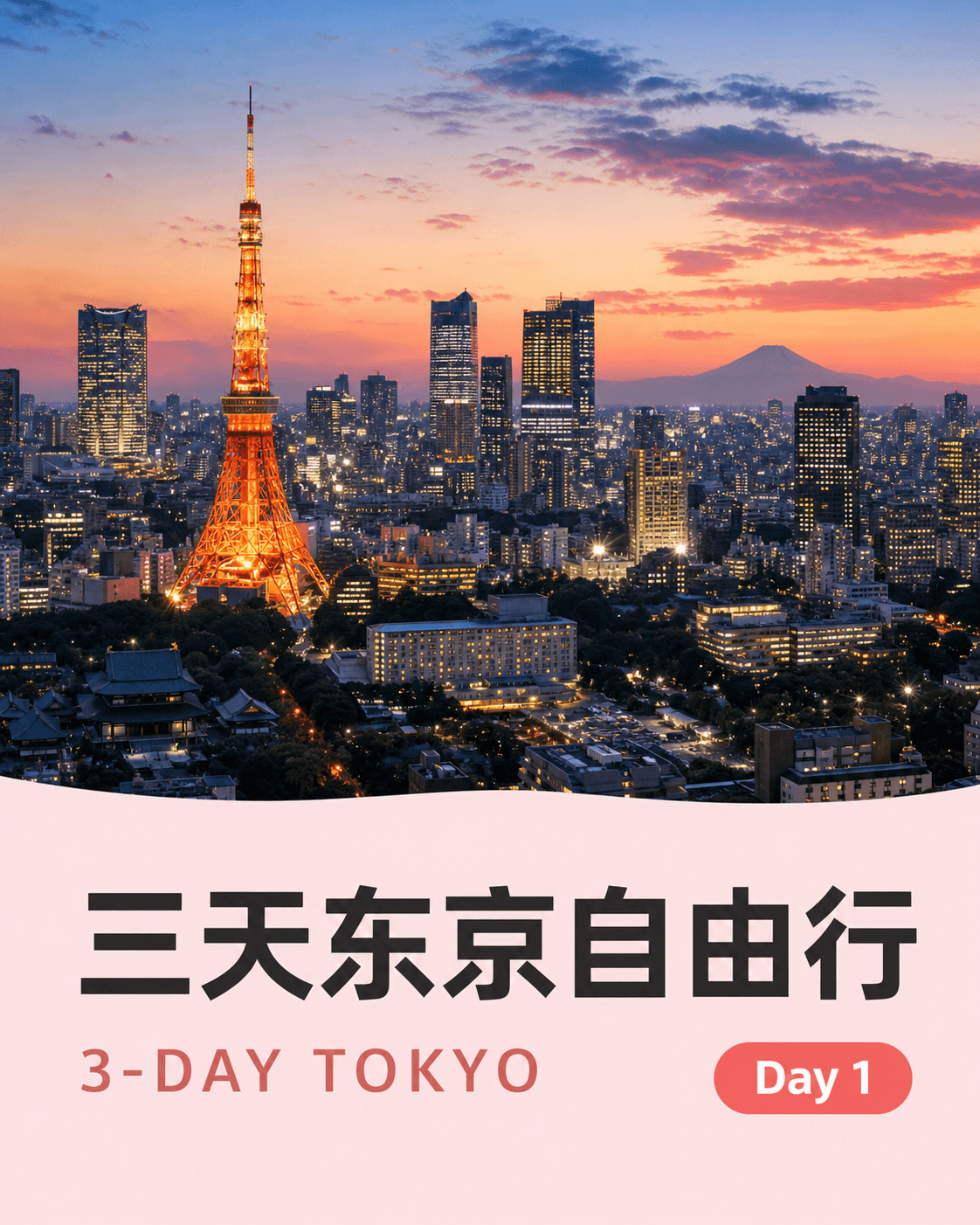
The template describes both the layout and the Chinese and English headings, such as “三天东京自由行 / 3-DAY TOKYO.” Check the generated lettering and composition before choosing a version to publish.
Here is the Chengdu example from the original article:
A vertical 4:5 Xiaohongshu travel cover. The upper two-thirds show
Chengdu's skyline at dusk. The lower third is a soft pink color block
with a large Chinese heading "成都三日攻略" and the smaller English
subtitle "3-DAY CHENGDU". Add a coral-pink pill-shaped "Day 1" label
at the side. Modern lifestyle design, clear Chinese and English text.
The Traditional Chinese version used Taipei instead:
A vertical 4:5 Xiaohongshu travel cover. The upper two-thirds show
Taipei's skyline at dusk. The lower third is a soft pink color block
with the large Chinese heading "台北三日攻略" and smaller subtitle
"3-DAY TAIPEI". Add a coral-pink pill-shaped "Day 1" label at the side.
Modern lifestyle design, clear Chinese and English text.
You can try your first image without registering. Registration includes 10 credits; the generator shows the credit cost for the selected model and resolution.
Step 3: add text or split a grid
- Use Text on Image to add a line of text.
- Use the Image Splitter to divide a large image into tiles for a multi-image post.
The workflow is simple: remove private metadata, create the cover, then finish the layout. Starting from a template reduces repetitive layout work while leaving the subject and wording up to you.
Original publications
Translated and consolidated from the author's CNBlogs article and Traditional Chinese Vocus version.
- Xiaohongshu cover
- EXIF removal
- AI image prompts
Put your next idea into a picture.
Open the image generator with your own prompt, or choose an example to start exploring.
Open image generator