Engineering
Detecting Image Grid Lines: Split an AI Collage into Nine Tiles
Detect real divider lines in AI-generated grids with dense pixel scanning and a mean-color deviation test, then crop at the original resolution.
On this page
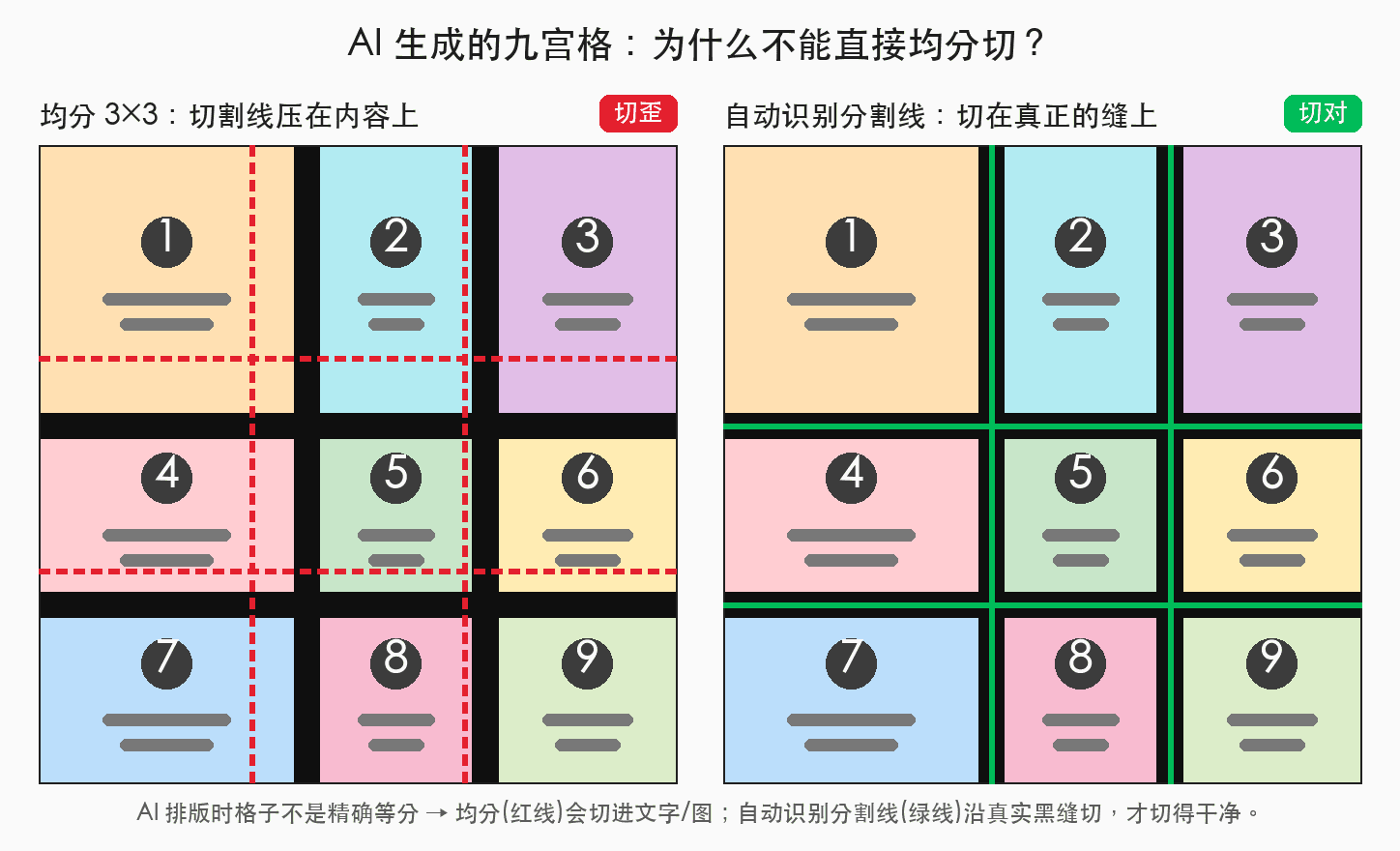
I was making a batch of nine-panel tutorial images: ask a model to generate a 3×3 sheet, then cut it into nine pictures. At first I assumed splitting would be trivial—divide the width and height into thirds. The cuts went straight through the content.
AI-generated panels are rarely exact thirds. This article explains how to find the actual divider lines, cut along them and remove the dividers.
Why equal thirds fail
In a generated layout, panels with more content may become larger while others shrink. Cutting at one-third and two-thirds of the image can slice through text or illustrations.
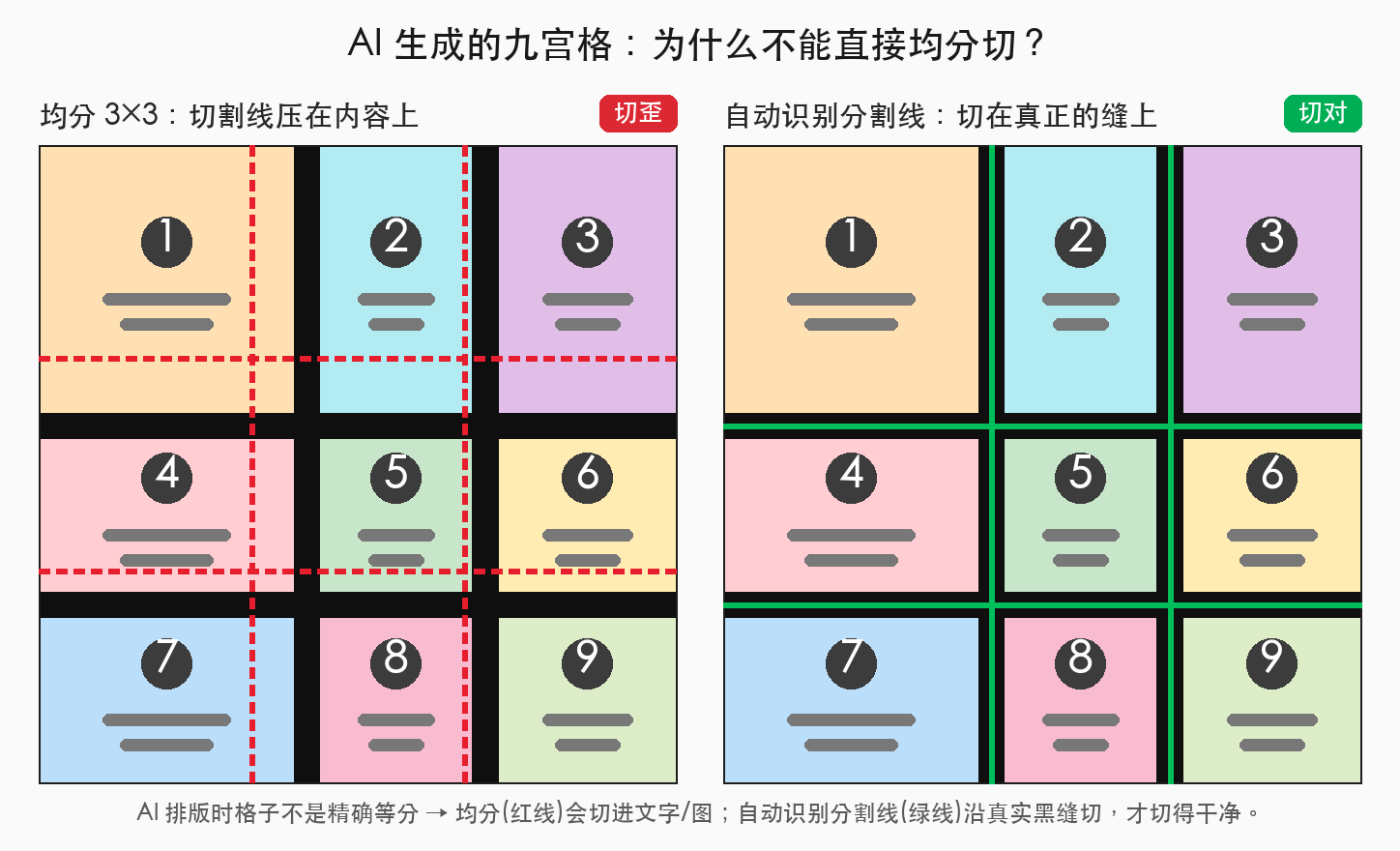
The useful approach is to locate the lines first, then crop between them.
Detecting divider lines
The basic criterion is: a divider is a line whose color stays consistent from end to end. A row or column running through picture content usually changes color somewhere along the way.
Scan rows and columns and retain the ones that meet this criterion. Two implementation details make a substantial difference.
Scan every pixel on the detection image
A divider may be only a few pixels wide. Sampling every ten or twenty pixels can skip a narrow intersecting divider. That can make a band of content look uniform when it is not. A dense scan catches those intersections.
Measure deviation from the mean
A simple max - min test is sensitive to gradual color drift. Anti-aliasing can mix colors from neighboring panels into a thin divider: one end looks warmer, the other cooler. The range may grow large enough to reject a real line.
Instead, check how far each pixel is from the mean color of the whole line. This pseudocode shows the criterion; avg, channelDist and TOL stand for the mean-color function, channel-distance function and tolerance:
function lineIsUniform(pixels) {
  const mean = avg(pixels);
  // Gradual drift stays near the mean; a local jump can exceed it.
  return pixels.every(p => channelDist(p, mean) <= TOL); // TOL ≈ 45
}
For a linear gradient, the maximum deviation from the mean is roughly half the full range. For a brief local jump, it is close to the jump itself. The same threshold therefore tolerates gradual drift while still detecting a sharp change.
After identifying the divider bands, crop between them and exclude the bands themselves. The criterion works with different divider colors rather than only black or white.
Run detection on a thumbnail to find the relative positions, then crop from the full-resolution original. Detection can stay lightweight while the output retains the original pixels.
Ask the model for a regular 3×3 layout
Give the model explicit layout constraints. Here is the cooking-tutorial prompt from the original article, translated into English:
Generate nine panels with equal aspect ratios, arranged as a 3×3 grid
with solid black divider lines.
Panel 1: A beginner's guide to tomato and scrambled eggs.
Panels 2–9: Show the recipe step by step, explaining the ingredients,
cooking time, heat level and other key points in each panel.
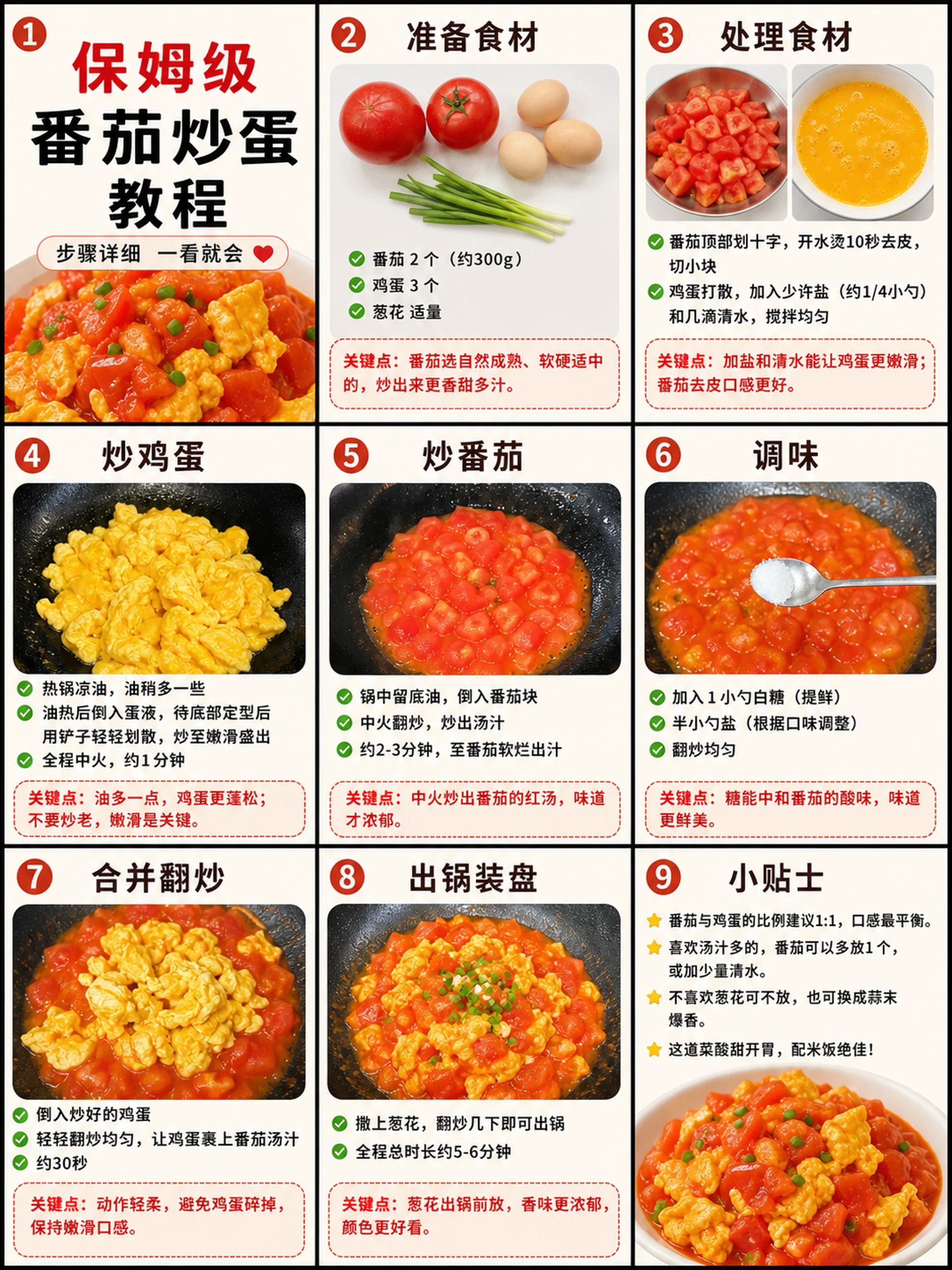
Specify the number of panels, their aspect ratio, the 3×3 arrangement and a solid divider color. These instructions help the model produce a layout that the detector can work with.
Use the existing splitter
The CVY.AI Image Splitter uses this approach: dense scanning, a mean-deviation color test and cropping from the original image. It runs locally in the browser.
Drop in the image, check the numbered preview and download the tiles together. For a regular image without divider lines, use Manual N×M to split by row and column count. You can make the source sheet with the image generator.
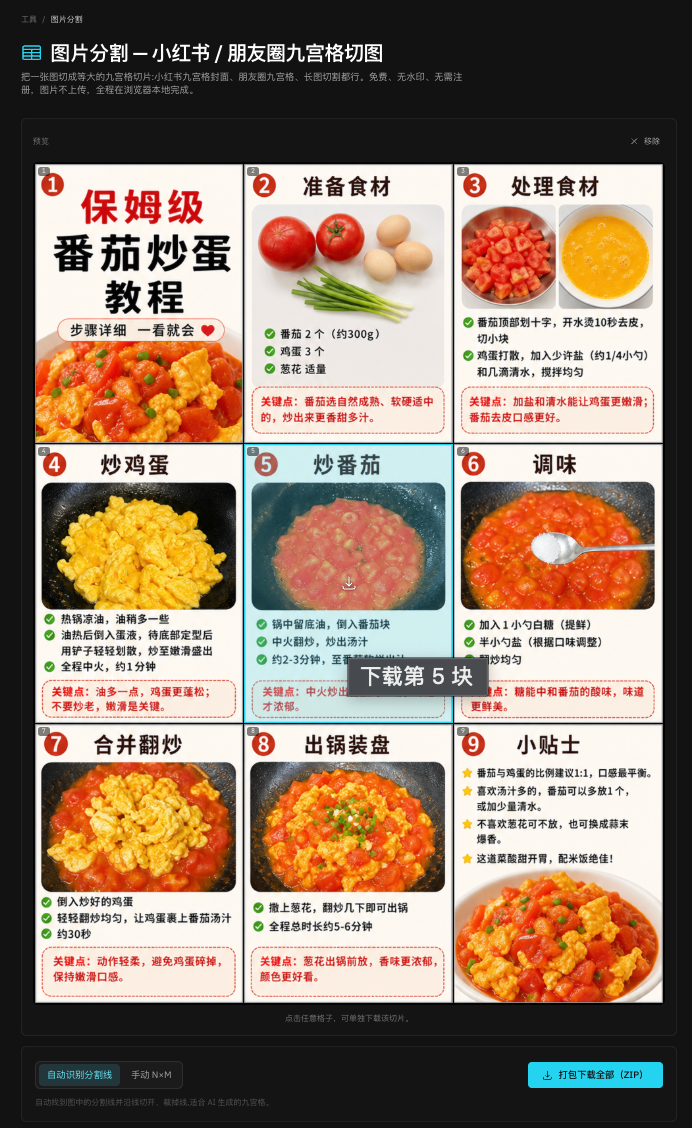
The key is to follow the dividers actually present in the image. Dense sampling and a noise-tolerant color test make this more useful than assuming every panel has the same dimensions.
Related tutorial and original publication
- Image splitting
- JavaScript
- Image processing
Put your next idea into a picture.
Open the image generator with your own prompt, or choose an example to start exploring.
Open image generator