Video tutorial
The Zombie Couple Trend, Shot by Shot: How the Zombie Hug Video Works
A frame-by-frame breakdown of the AI zombie couple trend: the cold first half, the cut on the lunge, the three warm memories, and what to get right in the two photos if you make your own.
On this page
If you have scrolled TikTok, Reels or Shorts this autumn, you have probably seen it. A cold, grey room. Someone aims a rifle at the person they love, who has turned into a zombie. The zombie lunges, and the video cuts to the two of them laughing in warm sunlight. It goes by the zombie couple trend, the zombie hug or the AI zombie trend, and every version is generated from two ordinary photos.
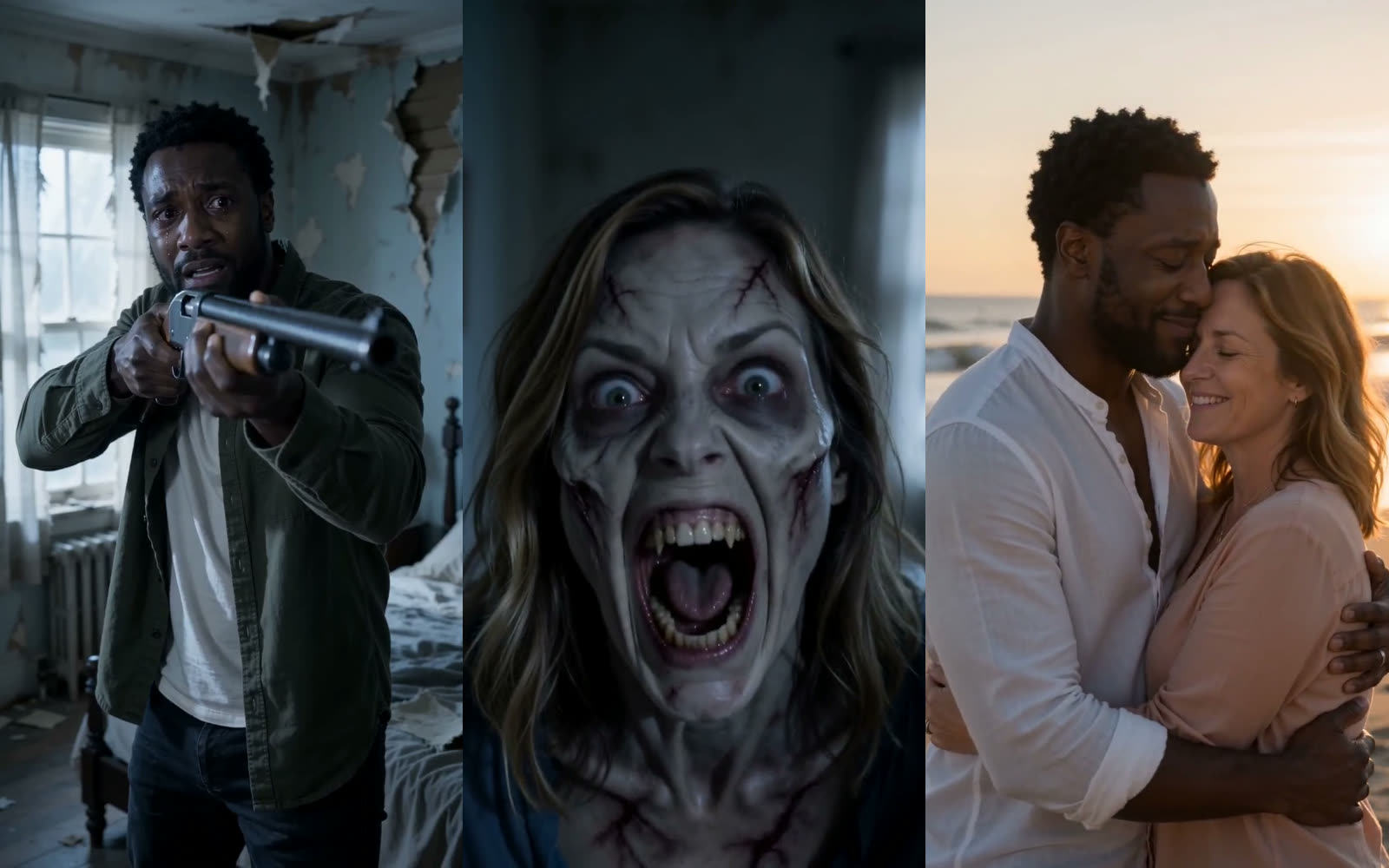
We took one finished 15-second example apart frame by frame. Every still in this post comes from it, and both people in it are AI-generated.
The structure in one table
| Time | Part | What happens | Light |
|---|---|---|---|
| 0 to about 7 s | The turn | Short close-ups cut between the survivor and the zombie: wide eyes, the rifle raised, a snarl, tears | Cold blue-grey |
| About 7 s | The cut | The survivor drops the rifle and opens their arms; the zombie lunges, and the video cuts before they touch | One hard cut |
| About 7 to 15 s | The memories | Both human again, in three different places, in different clothes | Warm golden |
Half the clip is fear, half is memory, and the turn between them is a single frame.
Part one: the turn
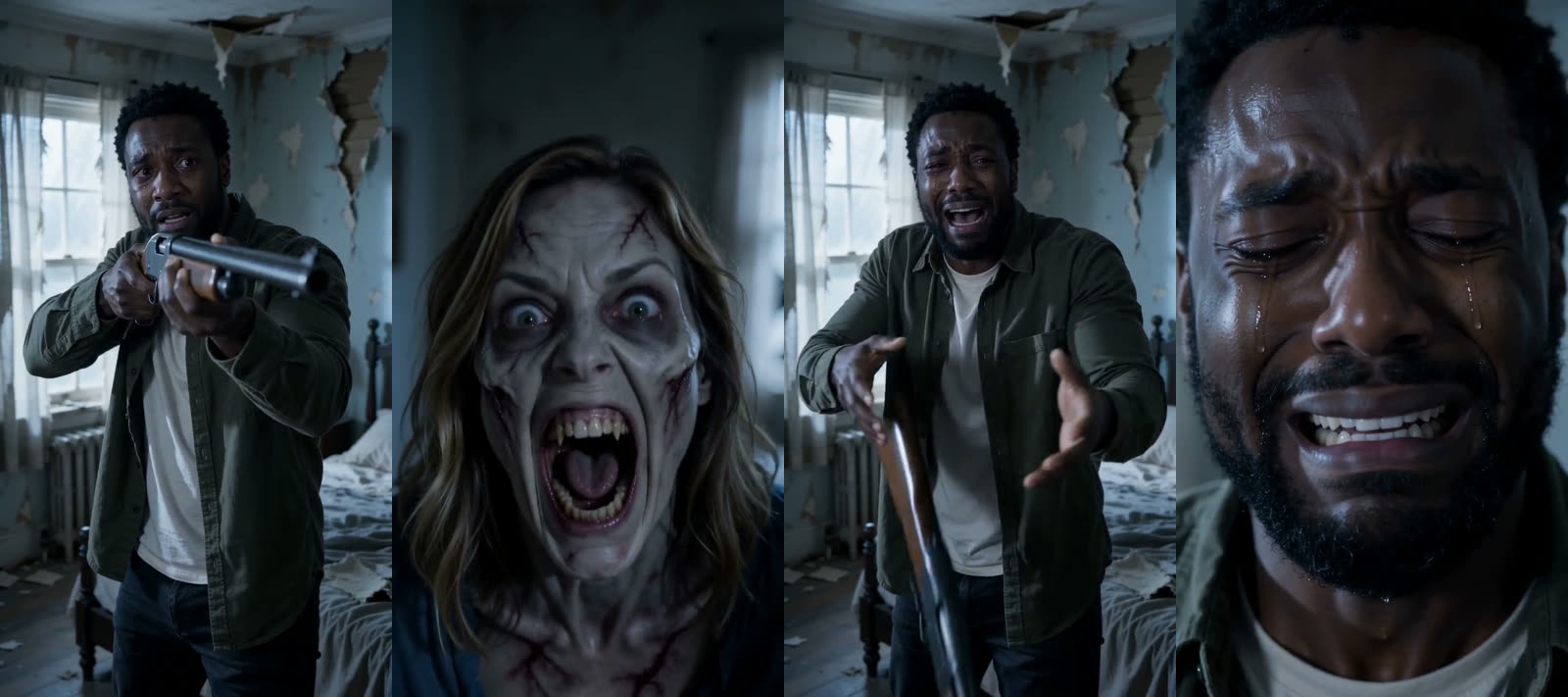
The first half works because of editing, not action. Very little happens: someone aims, someone snarls, someone cries. The tension comes from the shots being short, a second or two each, and from the way they keep switching between the two faces. Every cut asks the same question again: will they shoot?
Three details carry it:
- The setting is plain and lived-in. An abandoned bedroom, a cabin yard, a garage. It reads as a place the couple once shared, which is what makes the second half land.
- The survivor never smiles. Fear, disbelief, then grief. The emotion rests on this face, so it gets the most close-ups.
- The zombie is pale and grey, not gory. Clouded eyes and dark veins are enough. The trend is a love story, not a horror clip, and gore would keep it out of most feeds.
The cut on the lunge
The rifle falls. The survivor spreads their arms, choosing to be caught rather than to shoot. The zombie lunges toward the camera, and in that instant the video cuts.
This is the moment people replay. Cut late, after the two touch, and the clip turns into a horror scene. Cut early, before the lunge, and there is nothing to cut away from. The versions that get shared cut while the zombie is still in the air.
Part two: three memories
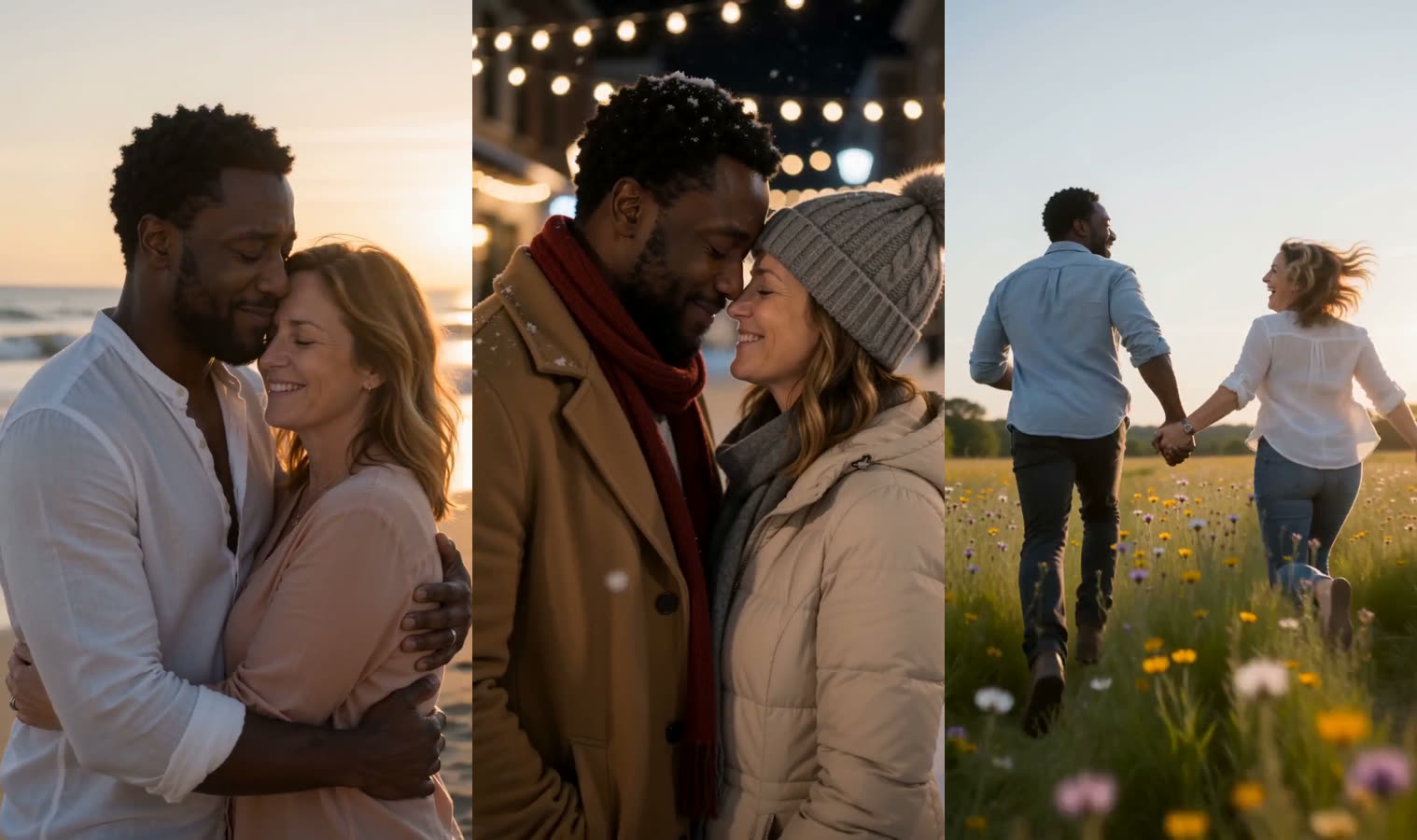
After the cut, the same two people are human again, and happy. The shared versions rarely stop at one memory. Three short scenes in three places, each with its own clothes, feel like a whole life rather than one afternoon. In this example they are a hug on a beach at sunset, a snowy street under string lights, and a run through a wildflower field.
The colour does as much work as the content. After seven seconds of blue-grey, warm light alone tells the viewer this is the past.
What makes one look right
Most of the result is decided before anything is generated, by the two photos:
- One person per photo. Photo 1 is the survivor, Photo 2 is the one who turns. A photo of the two of you together is not needed.
- The whole face, evenly lit. No sunglasses, no bright window behind, no heavy beauty filter.
- Head and shoulders. Close enough for the tearful close-ups, wide enough to show hair and shoulders.
- Similar quality. If one photo is sharp and the other a blurry screenshot, the difference shows when both are in the frame together.
Zombie Couple's guide to choosing the two photos goes through each point in more detail.
How to make one
Writing the shot list by hand, generating each shot and timing the cut takes hours. Zombie Couple is a zombie couple video generator built only for this trend: upload the two photos, pick an opening scene such as a cabin, a barn or a bedroom, choose an aspect ratio, and the 15-second video with sound is usually ready in three to five minutes. The example in this post was made there.
Before you post
- Only use photos of adults who agreed to appear, and ask before posting someone else's face.
- Label it as AI-generated. TikTok, Instagram and YouTube each have a setting for it.
- Add the trend sound inside the app if you want the audio everyone else is using. The video's own sound works on its own as well.
- Zombie couple trend
- Zombie hug
- AI video trend
- Photo to video
- AI video
Put your next idea into a picture.
Open the image generator with your own prompt, or choose an example to start exploring.
Open image generator