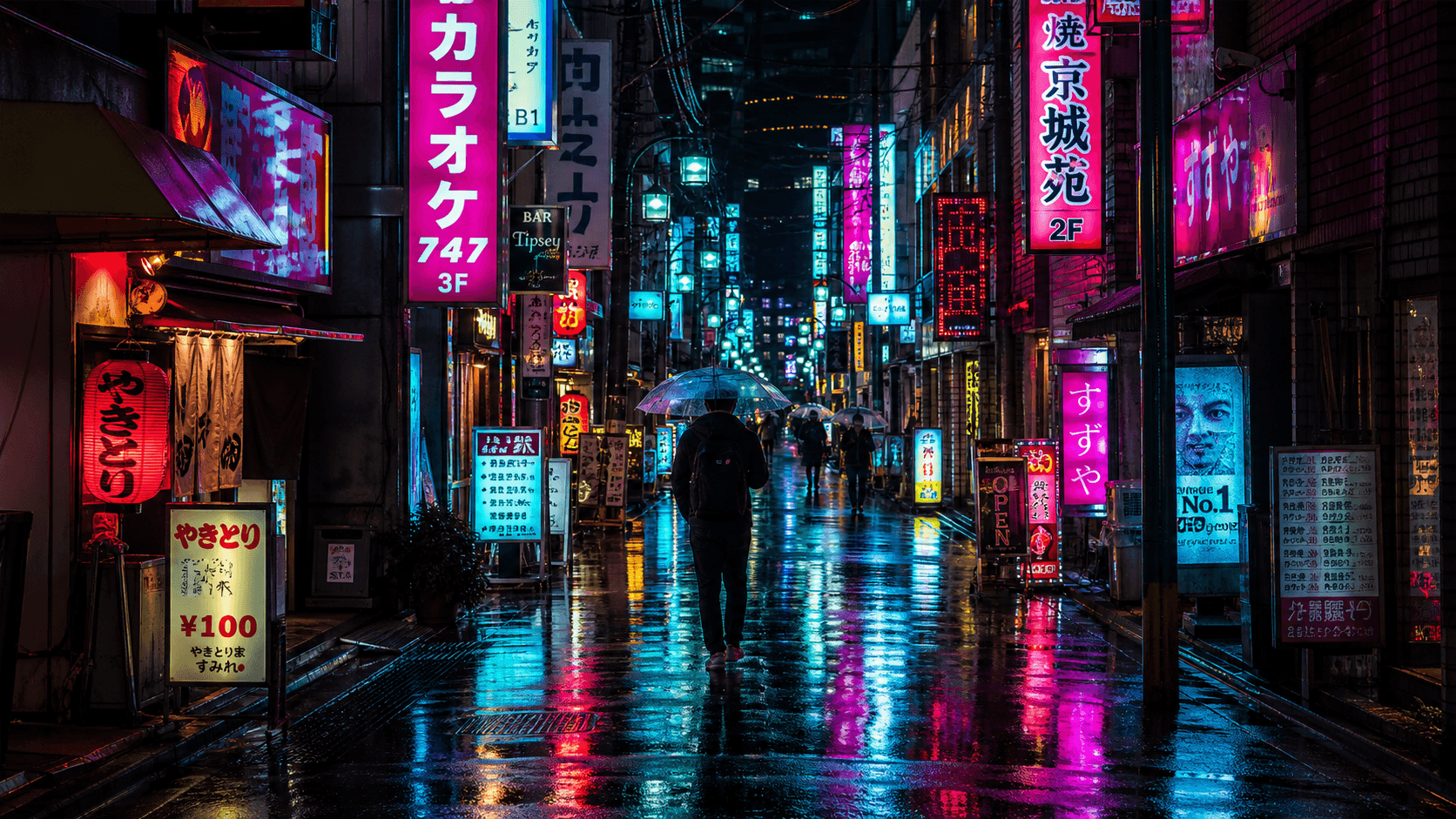
Example image for this prompt. Your result may differ.
Prompt
A narrow Tokyo back alley at night, dense vertical neon signage in pink, cyan and warm yellow stacked along both walls, light rain still falling and pooling on the pavement reflecting the colored lights, a single anonymous figure walking away from camera under an umbrella, steam drifting from a manhole cover in the middle distance, cinematic teal-and-magenta color grade, shot on 35mm.
How to use this template
- 1. Copy the prompt or open it directly in the generator.
- 2. Keep the recommended model and 16:9 aspect ratio for the first render.
- 3. Replace the subject, setting, product, or mood with your own details.
- 4. Generate, then refine the strongest result with more specific lighting, camera, or style notes.
Recommended setup
- Use case
- Cityscape
- Model
- GPT Image 2
- Aspect ratio
- 16:9
- Prompt length
- 387 characters
Template FAQ
What is Rainy Neon Alley, Tokyo best for?
Rainy Neon Alley, Tokyo is best for cityscape image generation where you want a strong first prompt instead of starting from a blank text box.
Which model should I use with this template?
Use GPT Image 2 with the 16:9 aspect ratio. That combination is preloaded when you open the template in the generator.
Can I edit this prompt before generating?
Yes. Treat the prompt as a starting point: replace the subject, setting, colors, props, or mood while keeping the composition and lighting structure.
Opens the generator with this prompt, model, and aspect ratio preloaded.
Related templates
More prompt recipes close to this use case.
Old-Town Florist at Blue Hour
Quiet old-town florist at blue hour. Warm interior glow on wet cobblestones — documentary lifestyle mood.
Analytics Dashboard Laptop Hero
Clean SaaS analytics dashboard inside a laptop, with empty space for overlay text. Marketing hero ready.
Glass Bottle on Marble (Luxe)
Editorial luxury beauty shot. Glass bottle on marble, soft daylight, single accent prop — for fragrance and skincare brands.